
Loyalty and Selligent Integration - Introduction
What is Loyalty
Establishing an emotional connection between your brand and customers is key to creating long-lasting relationships with your customers and turning them into loyal returning customers for your brand. Achieving this is not an easy task.
Loyalty by Zeta is your partner in this process, allowing you to reward your loyal customers and have meaningful interactions throughout the different stages of the customer life-cycle.
Segments allow you to group your members sharing common characteristics, and use that for targeting promotions, offers and more.
Rewards are used in the platform as a way of encouraging your Members to participate in Challenges, Offers, and other aspects of your customer loyalty program. The Loyalty platform supports a range of Reward types, which your Members can earn, typically by redeeming a certain number of points, or by completing specific achievements or goals.
Rules allow you to configure a Loyalty program’s earn, redeem, tier(1) and expiration requirements. This includes a series of base rules that can be topped up with limited-time promotional rules to comply with advanced business requirements. Rules are created to define when members earn points or increase any other metric you use based on specific activities, but they can also be set up to decide when a member moves from one tier(1) to another for example.
Other fundamental capabilities of Loyalty are Campaigns, Challenges and Offers.
Please consult the links above for more detailed info on the specific subjects.

Loyalty is a vast solution that covers many of the challenges involved when managing a loyalty program.
Note: Detailed information on all the available features in Loyalty is available here.
Note: If you're interested in Loyalty, please get in touch with your Zeta contact.
Accessing Loyalty
Loyalty is available as an additional module from the Selligent application.
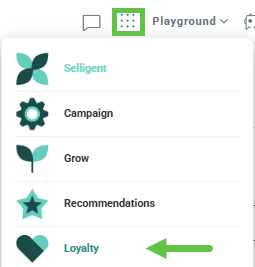
Note: The launch permission must be set to access the Loyalty module.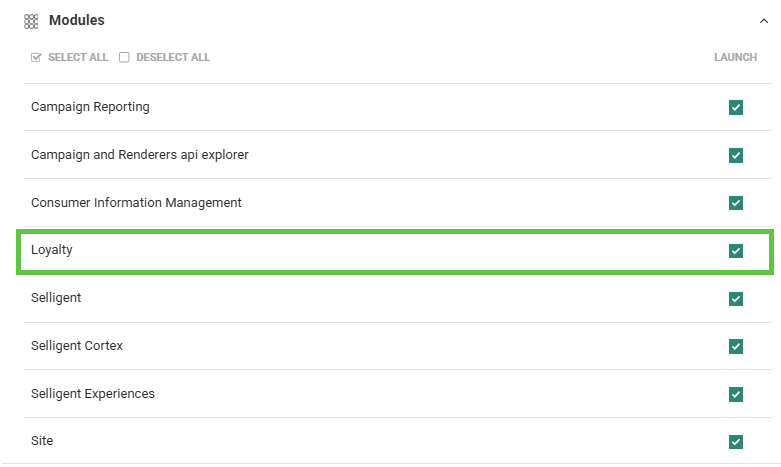
Loyalty integration
Once you have access to Loyalty, there are 2 ways in which you can integrate Loyalty with Selligent and leverage Loyalty information in Selligent:
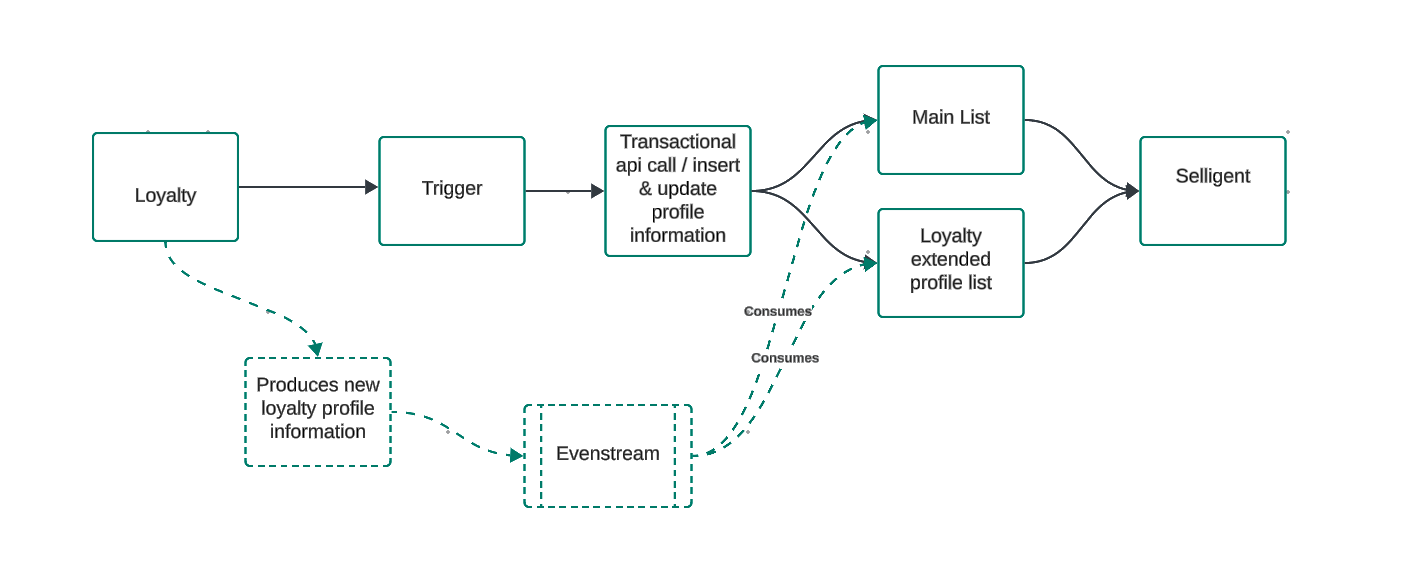
1. Trigger a transactional journey at the end of a Loyalty flow. This is a more targeted approach where a specific action is taken by triggering a transactional journey when a specific event has taken place in Loyalty.
2. Continuously stream Loyalty events and data to the event stream, allowing you to leverage that information at any time for actions such as personalization, segmentation, or journey triggers. This approach offers greater flexibility, providing real-time data that can be immediately used to tailor content or initiate journeys.
Note: Both integrations can be used simultaneously. It is up to the discretion of the marketer to define what the best option is.
Examples:
- When a person's loyalty level increases from silver to gold, you want to send a communication to that person to congratulate them with their new loyalty level and all the perks involved with that. This would typically be a transactional journey integration where a journey is triggered at the moment of change of tier level.
In addition, if you want to store and use this Loyalty information in Selligent to personalize the banner in promotional emails, you need to set up an event stream to make this information available. Once set up, you can show a golden banner at the top, instead of a silver one by means of visibility constraints using that Loyalty profile data. This is an example of using the Loyalty data for personalization.
- When people have almost enough points to get to a higher tier, encourage them to collect additional points , for example by purchasing certain products. You can achieve this by using the Loyalty data in Selligent to trigger a journey for those who have less than a 1000 but more than 900 points. A recurring journey can be run every week to target those people. This is an example of how to use the Loyalty data for segmentation.
Triggered transactional journeys
A typical Loyalty flow for Selligent would be like this:
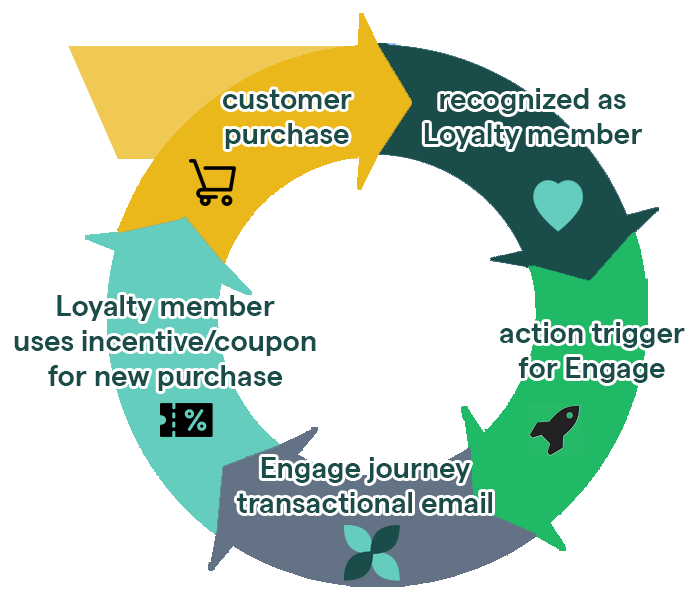
One day, a regular customer of a store buys some items in the store.
As soon as the customer reaches the checkout to pay for the items, they're recognized as being a Loyalty card member.
The system notices that the customer has already saved 290 Loyalty points (from previous purchases, subscribing to a newsletter, etc), which puts them in a bronze Loyalty tier.
This bronze Loyalty tier gives them a 10% discount coupon for the purchase of today.
By using Loyalty, customers will be encouraged to make future purchases and further interactions with the brand, leading to better sales, brand awareness and trust.
To use Loyalty with Selligent by Zeta transactional journeys, the following steps need to be taken :
- setup of lists, assets and journeys in Selligent to be used in your transactional journey
- setup of an API Service Account in Selligentto be used in the integration configuration in Loyalty
- setup of integration with Selligent in Loyalty
Once the setup is done at both sides, you can:
Continuous Loyalty event stream for profile update in Selligent
Using the event stream, Selligent contact data is updated in real time, whenever something changes to the Loyalty profile. Once the integration is set up, you will at any time have access to the latest Loyalty information, which can then be used for personalization and segmentation.
To benefit from this feature, the following needs to be available first. Contact your Zeta representative to activate this feature and have the necessary actions taken.
-
A profile stream needs to be set up between Loyalty and the event stream. This is done in Loyalty.
-
A connection is required between Selligent and the event stream, to retrieve the correct events for the customer's environment.
- Set up a data sync between Selligent and the event stream.
Review this user guide for a full overview of the different steps required.