
An SMS message is a mobile message sent to the phone numbers of selected audience contacts. SMS messages can include basic personalization from contact profile fields, personalization fields, and emoticons. Create an SMS message when you want to define reusable SMS content that can be used in a journey, including transactional or event-driven journeys when the required event data is configured.
At the initial creation of an SMS message, some message properties are predefined. You can still modify most of these properties after the message creation.
1. Select Properties in the toolbar and the properties panel is displayed:
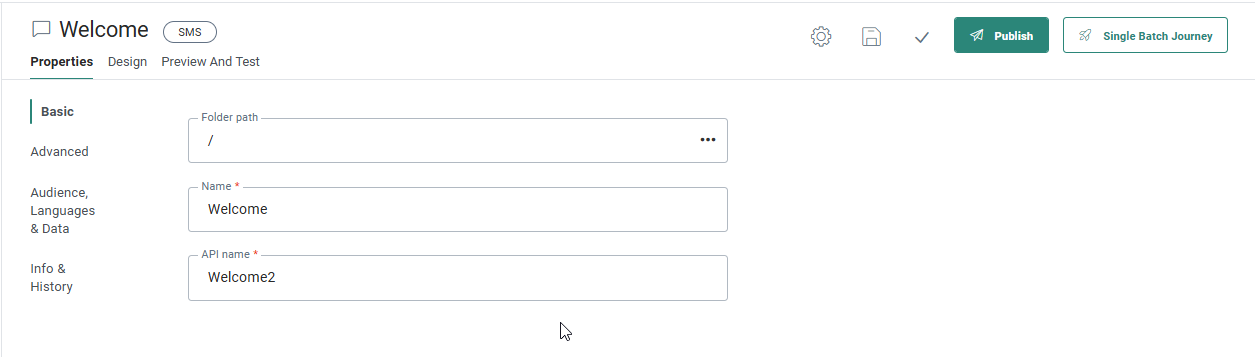
The following properties can be set for an SMS:
Note: At the top of the Properties panel, the current status of the message is visible. If the message has not been published at all, the status will indicate this. Also, when the message was edited and the changes have not yet been published, the status will inform the marketer of unpublished changes.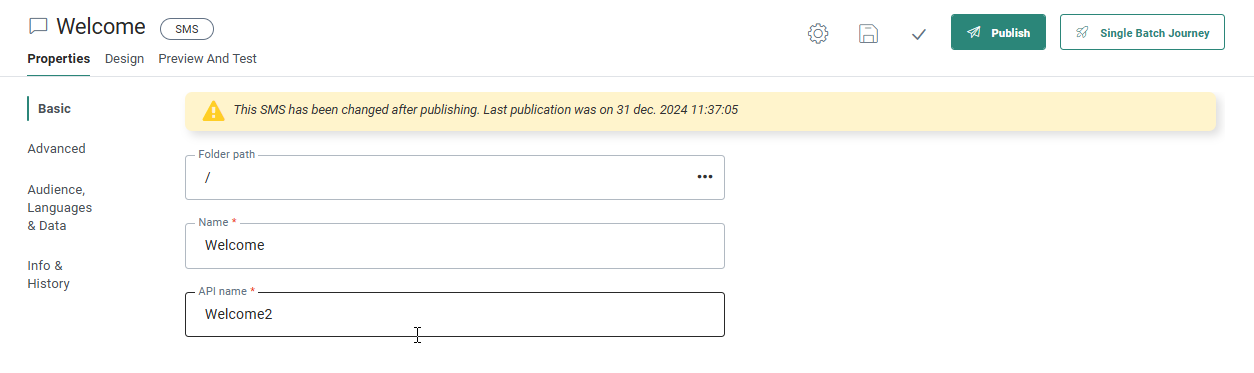
Basic properties
- Folder Path — The folder where the SMS is stored.
- Name & Description — Enter an explicit name to easily recognize the SMS messages, especially when many are available for multiple Business units.
- API Name — Give an API Name to this SMS. The name cannot contain spaces. The API name is used when the message is called from the API.
- Languages — Select the number of language versions that you want to create for this SMS message. The list of languages to choose from are defined in the Business unit in which the SMS message was created.
- Contacts without a language see — Indicate which language should be displayed if there is no language information for the contact.
- Contacts with no match on language see — Indicate which language the contact should see if the SMS message does not exist in the contact's language.
- Audience — The audience defined at creation of the SMS is listed and it can be modified here. Only audiences defined in the Business unit Properties are available for use. Fields from the selected audience and profile extensions will be available for personalization of the SMS message.
- SMS endpoint — Select the SMS endpoint to use for this SMS message. If multiple SMS endpoints are defined for an Business unit, select an endpoint from the drop-down menu. The selected endpoint defines which operator is used to send out the SMS message.
Info and history
- Description — Enter an explicit description to easily recognize the SMS messages, especially when many are available for multiple Business units.
- Asset label — The label(s) assigned to this asset. Select one or more labels from the drop-down. (These labels are configured in the Admin configuration.) Users with the proper Access permissions can also create new labels here by typing the new label value in the field.
- Data Selections (optional) — Define all possible data selections that might be used in the SMS. Fields from these data selections can be used in personalization of the SMS message. The available data sources to choose from depend on the Business unit configuration. For more details on how to configure data selections check out this topic.
Note:The audience has an impact on the personalization fields. If the audience is modified, make sure that the fields used in the message exist in that audience.
- Event data: here you can choose between
- No event data — The message behaves as a normal message.
- Transactional data — Select this option to make the message available for Transactional Journeys. When you select this option, the message is marked as a transactional, transactional data can be defined and used, and the message will only be available for use in a Transactional Journey.
- Custom event — Select this option when Custom Events are defined for the selected audience. You can use data from the Custom Event to personalize the message for use in a Custom Journey triggered by Custom Events. Messages that use Custom Events data can be used only in event-driven journeys.
Note: Custom Events data used to personalize the message is not visible in the preview of the message.