
Publishing an SMS message makes it available for use in journeys in Selligent by Zeta. Publishing resets the cache automatically to ensure recipients always have access to the latest version. SMS messages can be used in Single Batch, Transactional, or Custom Journeys.
Note: Only SMS messages with all language versions configured can be used in a Custom Journey. This implies that a language must also be configured for contacts without a language or with a different language specified.
View publication history
After publication, a History overview is available. Select the History button in the toolbar to open the history overview.
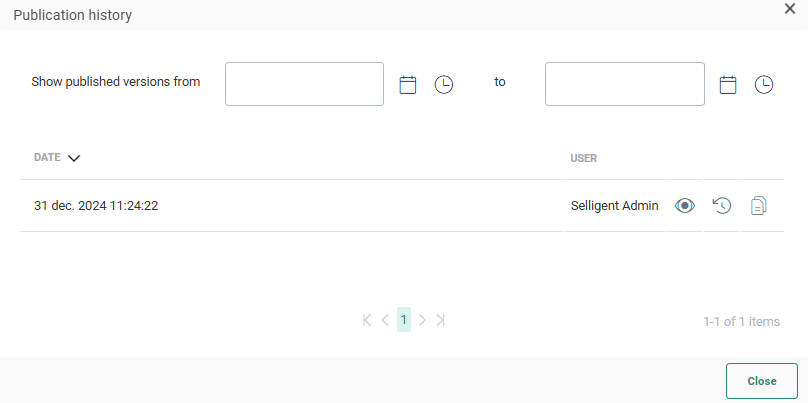
The history overview lists each publish date and the person who published the SMS message. To preview a version, select the eye icon for that version.
Restore an older version
If several versions of the SMS message are listed, you can select an older version and restore it.by selecting the Restore icon in the History overview .

Select Save to make the restored version the version used in Journeys.
Copy a version from history
You can also copy a version from the History overview. When you copy a version, a new SMS message is opened. The name of the new SMS message is a combination of the initial name followed by the person who published it and when.
Example:
If you restore the Welcome message. The restored message has following name:
Welcome - Published by Admin on Jul. 18,2018 5:11:38
Filter publication history
Use the Filter buttons at the top to only display publications in a given time frame.