What's New
Please note that all new release notes and new/updated help topics are written in the context of NextGen Experiences.
 Highlights
 Available for all users
Available for all usersRelease Notes
Available for all users
Available for all users
Available for all usersRelease Notes
September 9th 2026, 26.17
"Select all" option in multiple choice modules
AVAILABLE TO ALL CUSTOMERS
Background
Previously, in multiple choice modules, a participant would need to manually select each relevant option individually; there was no way to "select all" options available.
Solution
You can now add a "Select All" option within multiple choice modules that will allow the user to check all of the options available with a single click. This will improve the user experience with the aim of encouraging participation.
What it looks like in Grow
Add a multiple choice module to your Experience and click on the module to open the settings.

Under the Check All heading, tick the box for Display "Check All" option. You will see the Select All option displayed within your Experience on the right hand side.

Lightbox action trigger updates
AVAILABLE TO ALL CUSTOMERS
Background
When publishing your Experience as a Lightbox, you can choose which action will trigger theExperience. As we continue to develop Grow, we are able to offer more ways of launching your Lightbox Experience.
Solution
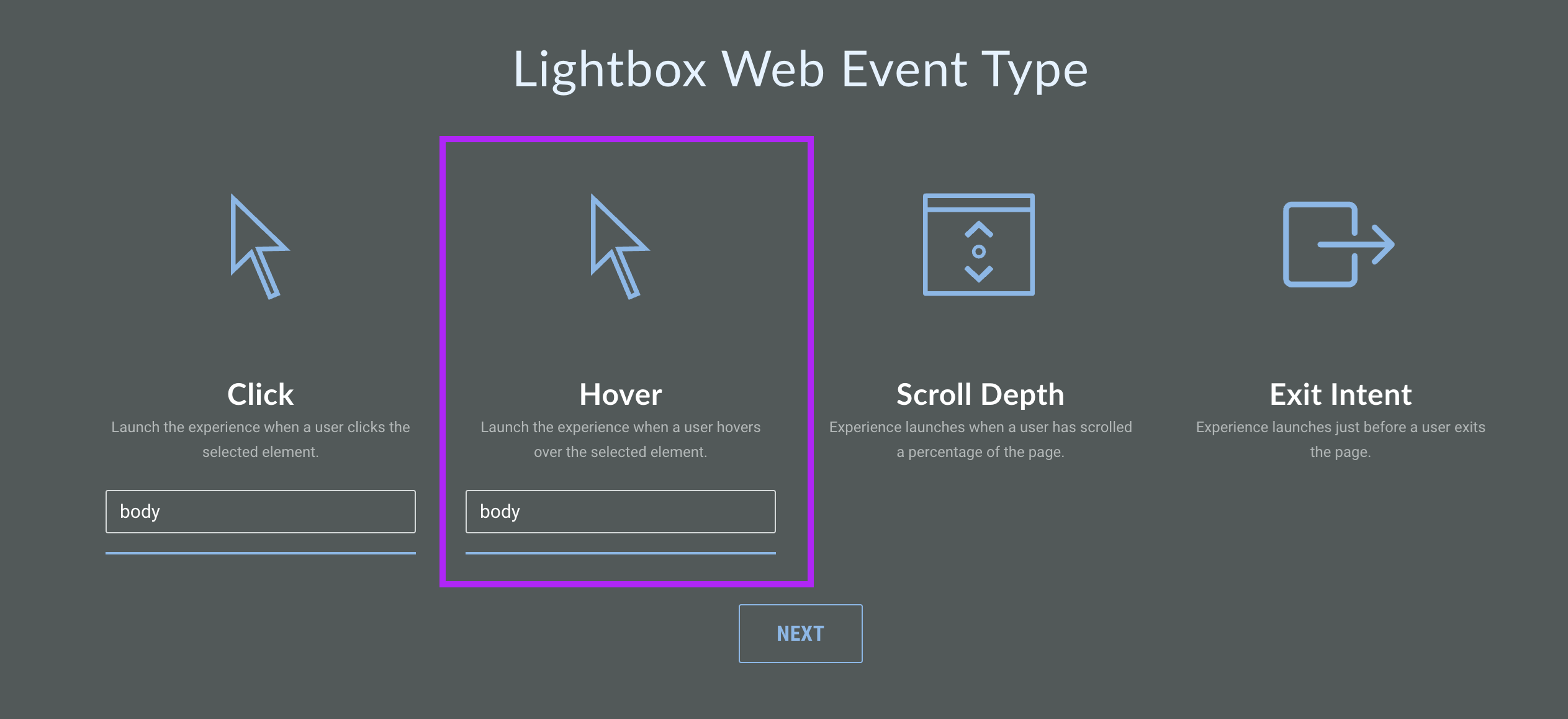
You can now choose the Click or Hover action to trigger your Lightbox. This means when the cursor hovers over the chosen element, the Lightbox will be displayed; you will need to specify the CSS selector for the element you want to target using the text box provided.
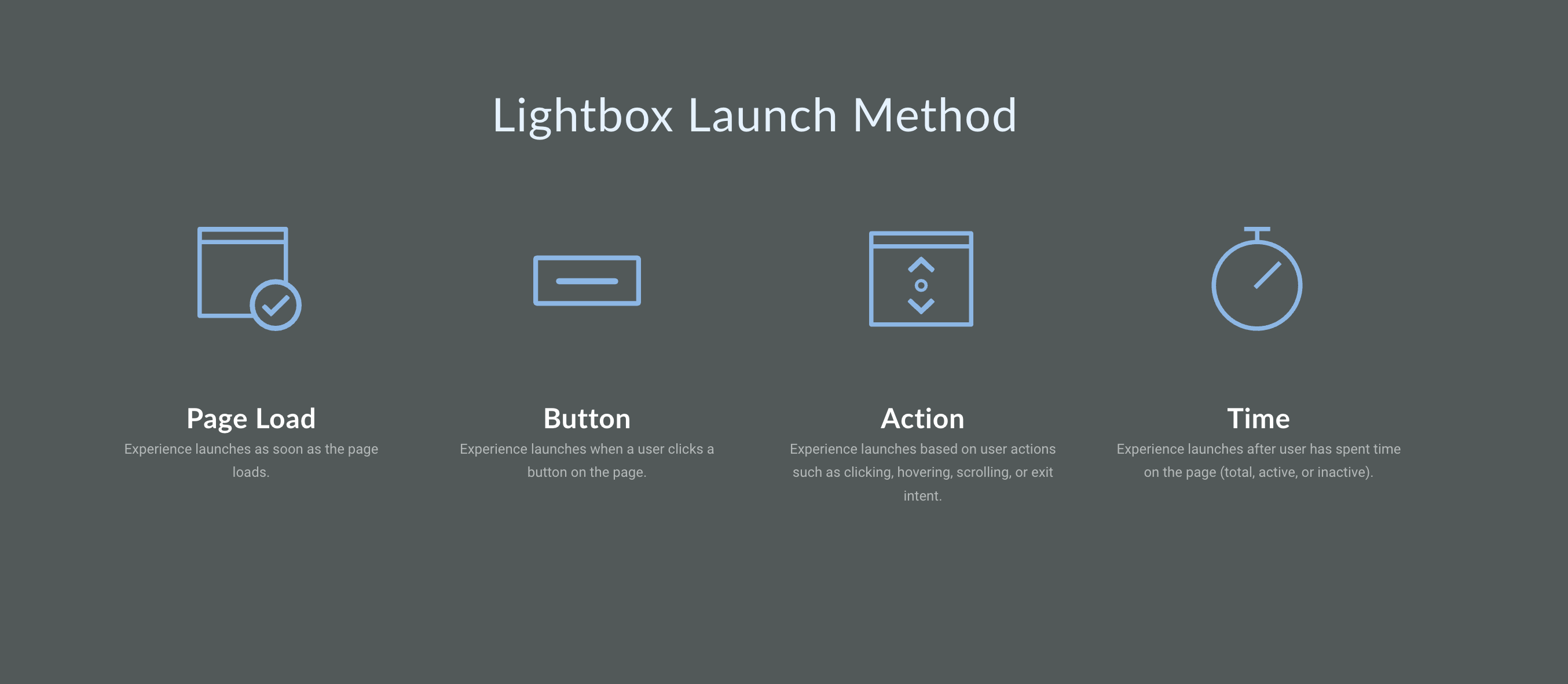
Note: You may notice additional changes to the options available when publishing as a Lightbox; choose from Page Load, Button, Action, or Time launch methods. The Hover launch method is found under Action.
What it looks like in Grow
To use the Hover launch method, first select Lightbox as your publishing method.
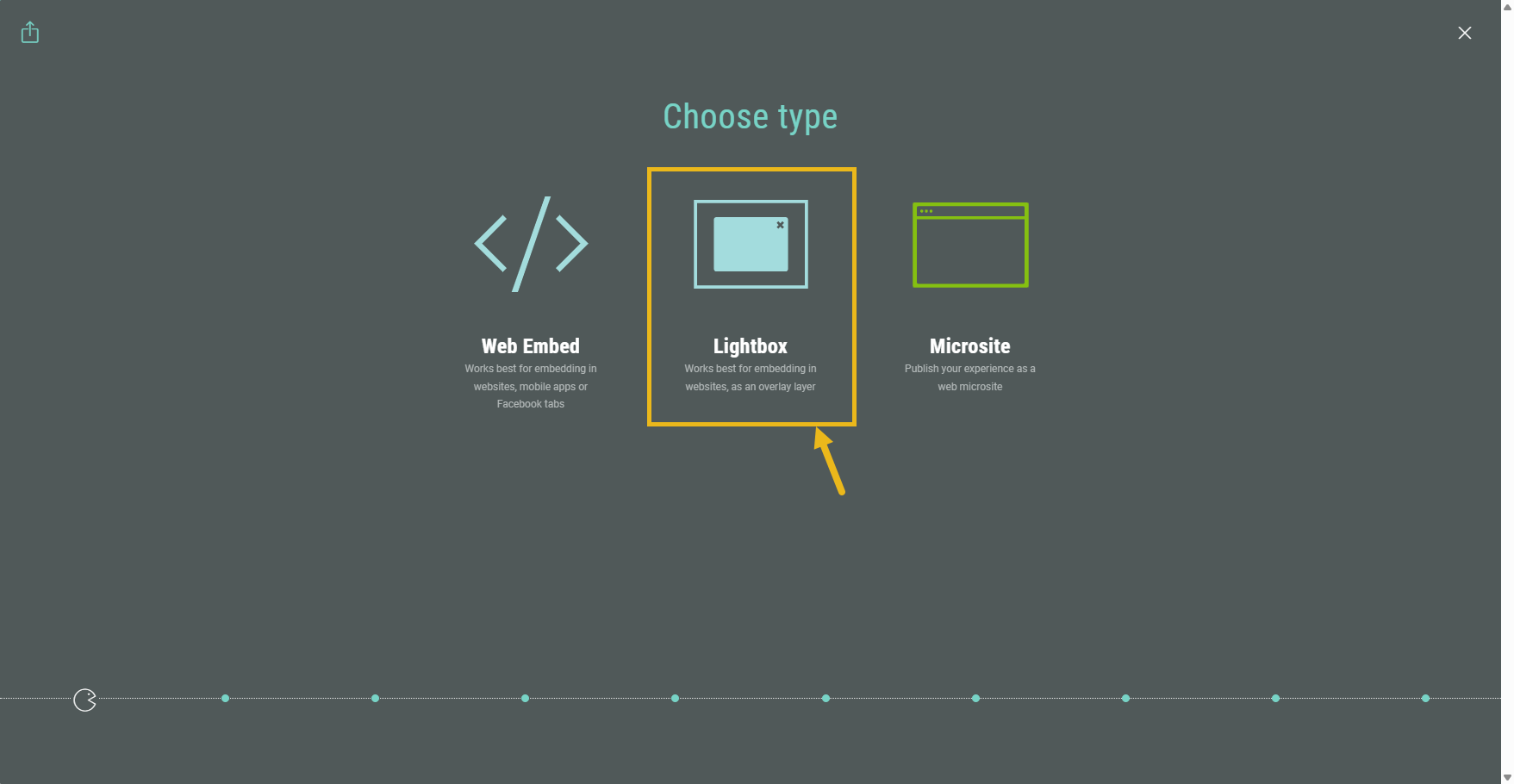
Click Action for your launch method.
From the options available, click Hover. In the text field that appears, enter the CSS selector for the element you want to target such as signup.button or #checkout. Click Next.
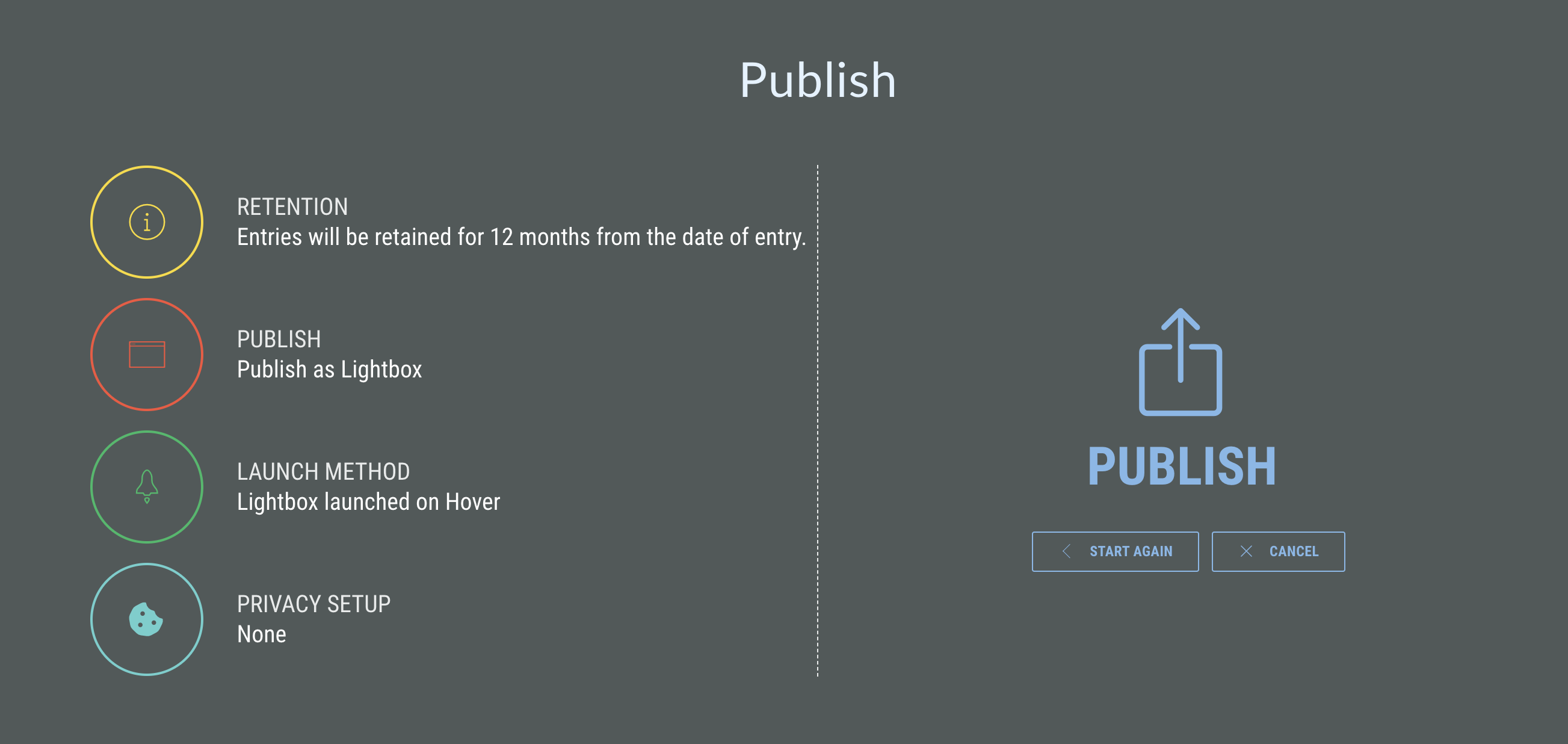
On the final screen, review your selections and click Publish.
For more information on the process, see our guide on how to publish your Experience as a Lightbox and Lightbox display rules.
Clone Rewards
AVAILABLE TO ALL CUSTOMERS
Background
Previously, if you wanted to create two identical rewards there was no way of copying an existing reward — you would need to create a new one from scratch.
Solution
You can now clone an existing reward directly on the Rewards page. This removes the element of human error and reduces the amount of time spent creating duplicate rewards.
What it looks like in Grow
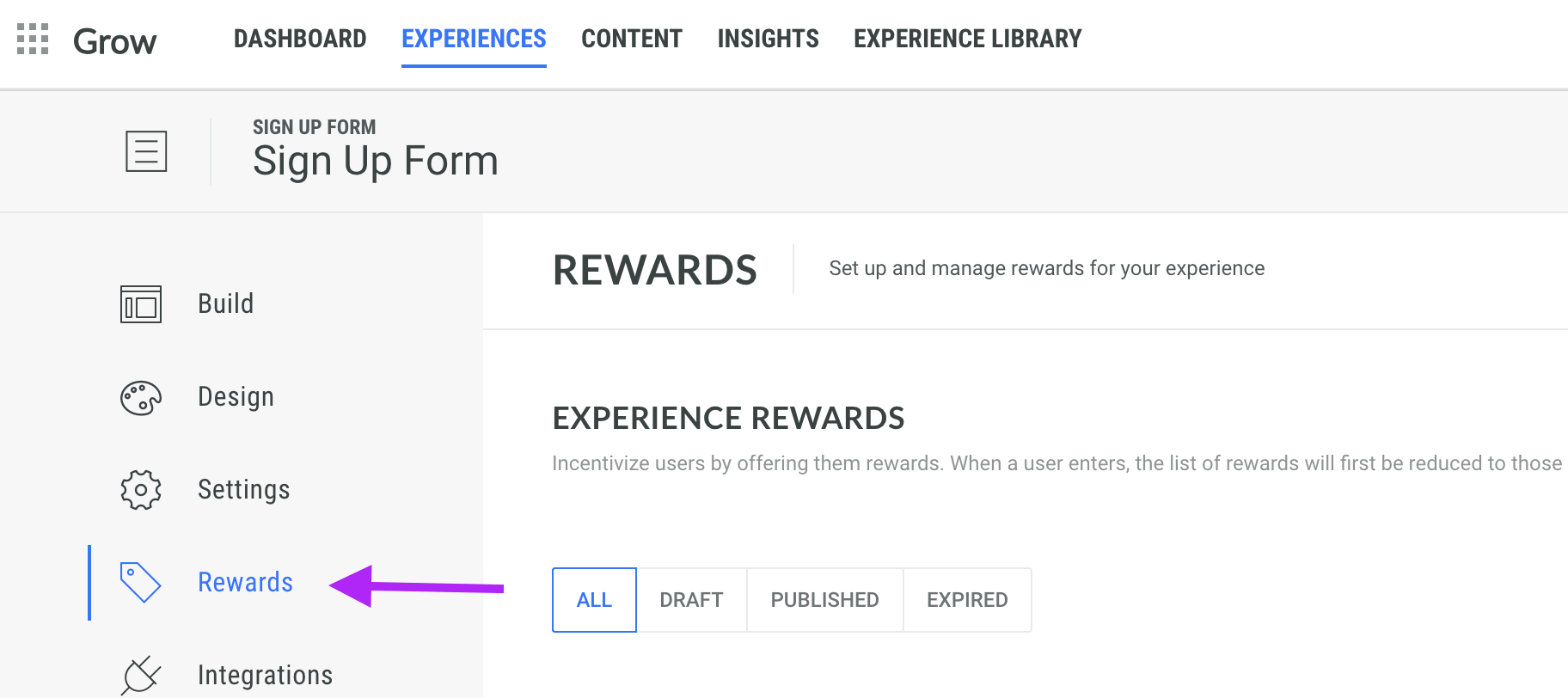
From the Experience Area, head to the Rewards tab.
Find the reward you would like to duplicate and click the Clone icon on the right hand side.
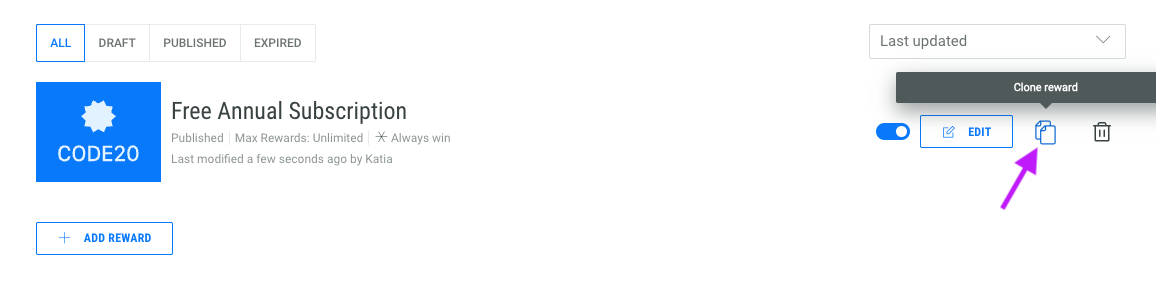
You will see the new reward with a "1" appended to the reward name.
Note: All the content and distribution settings will be duplicated however, we will not clone any uploaded codes.
For more information on rewards, see our guides on how to add rewards to an Experience and Rewards best practices.
NextGen only subscription plan
AVAILABLE UPON REQUEST
Background
As our legacy Macro Experiences are being phased out, you will not see any new features or updates for the associated product. With this in mind, many of our existing customers are choosing to migrate to our NextGen product which receives new releases on a regular basis.
Solution
As we continue to develop our NextGen product and move away from Macro, we are providing the option to sign up to a NextGen only plan.
What it looks like in Grow
When you choose the NextGen only plan, you will no longer see any Macro features within your Grow account. This allows for a clean migration from Macro to NextGen, so that you can seamlessly adopt the NextGen features without the confusion of seeing Macro features that run on our legacy architecture.
Platform Status
The status page provides you with regular updates regarding the status of the Grow platform in the event of a major system incident in your region. In this article we’ll explain the information you will see and how to subscribe to the Grow notification system to receive regular updates on the platform status, which we highly recommend to all users.
Click here for the Platform Status page.
For more information on the Platform Status page, including signing up for notifications, see the Platform Status documentation.