Create Targeting Journey
A targeting Journey typically has an Input component and at least one
page. The page will be the content for your pop-up, pop-in or html placement.
Of course, more complex journeys are also possible. For instance, to handle
a newsletter subscription, you would need a data component to handle validation
and storage and most likely a 'thank you' page.
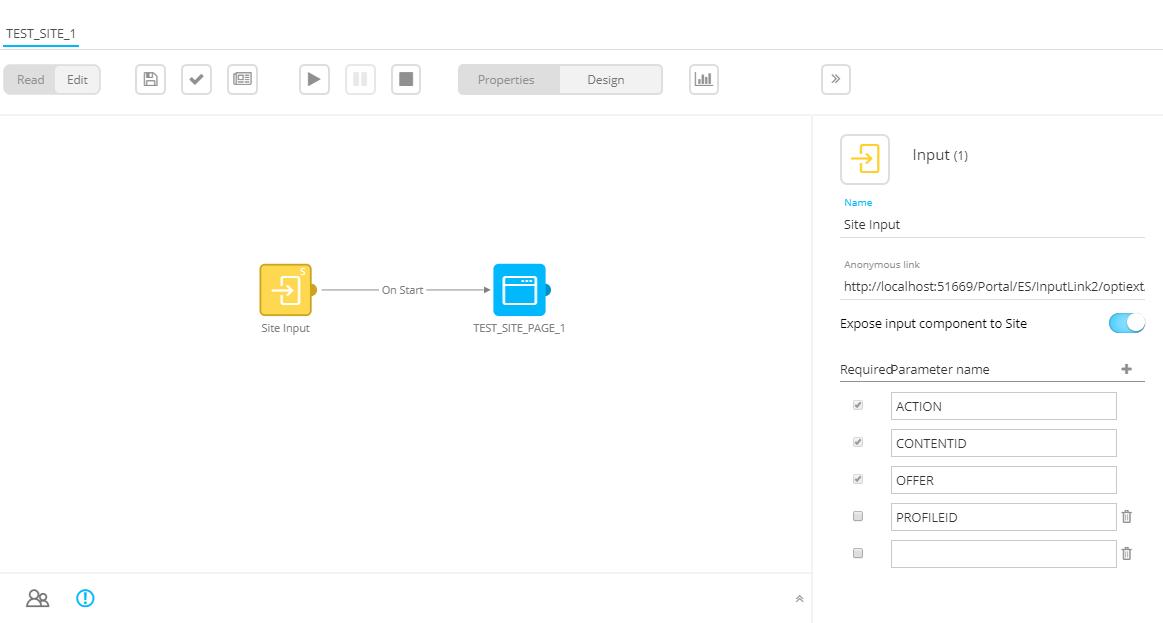
In Custom Journeys, you can Expose the input component to Site via a switch in the properties of the Input component.
- This option is only available when
- the Site module is activated.
- the audience of the Custom Journey corresponds with the list selected on the Site integration.
- When enabled, three read-only system parameters are added automatically
- ACTION — holds the name of the action in the offer that generates the call to the Journey.
- CONTENTID — holds the unique identifier of the content. This is a combination of the offer, action, placement and content and allows tracking clicks on external content (such as pop-ups, pop-ins).
- OFFER — holds the name of the offer from where the call to the Journey is made.
- Additional custom parameters can be added (eg. PROFILEID).
These parameters will be filled with information from Site when the targeting Journey is being called during a follow up on an offer. They can contain data from tags, profile or the offer, and they are configured within the offer.
When validating or publishing the Journey, validation warnings appear when one or more of the required system parameters have no value defined.
After publishing the targeting journey in Selligent, it will become available in Site.
Always give your targeting journeys and input parameters easily recognizable, descriptive names. They are used in Site’s offer settings.
It is not required to specify the universe in Selligent since we are working within the Business unit context.
However, the universe name in Site and the Business unit name in Selligent need to be exactly the same in order to connect them to each other.
You can personalize
the Journey page with the visitor's profile data (first name, last name, etc.) if
Site knows the link between the Site profile and the Selligent
contact. In Site the profile is CRM identified.
This occurs when the Selligent user clicked a link in a Selligent email or page going to one of the websites defined in Site (a
tracker needs to be defined in Selligent). If Site knows the visitor, the Journey will be executed for
the known profile, no additional setup in the Journey is required.
If Site doesn’t know the Selligent contact, it can still
be that the Site profile is Custom identified.
In this case, you can create a custom input parameter (e.g. CUSTOMID)
and from Site pass their custom id (Profile data –> Custom id) to the
Journey. In the Journey, use a lookup component to switch to their Selligent profile and then personalize.
If the Site profile is not CRM- or custom identified, no personalization
can be done. The Journey will be executed anonymously. In Site this is
an Anonymous
profile.
Use Selligent by Zeta targeting journeys in Site offers
When creating an offer action, it is possible to select any of the published Selligent targeting journeys from the CRM drop-down list in the Placement section.
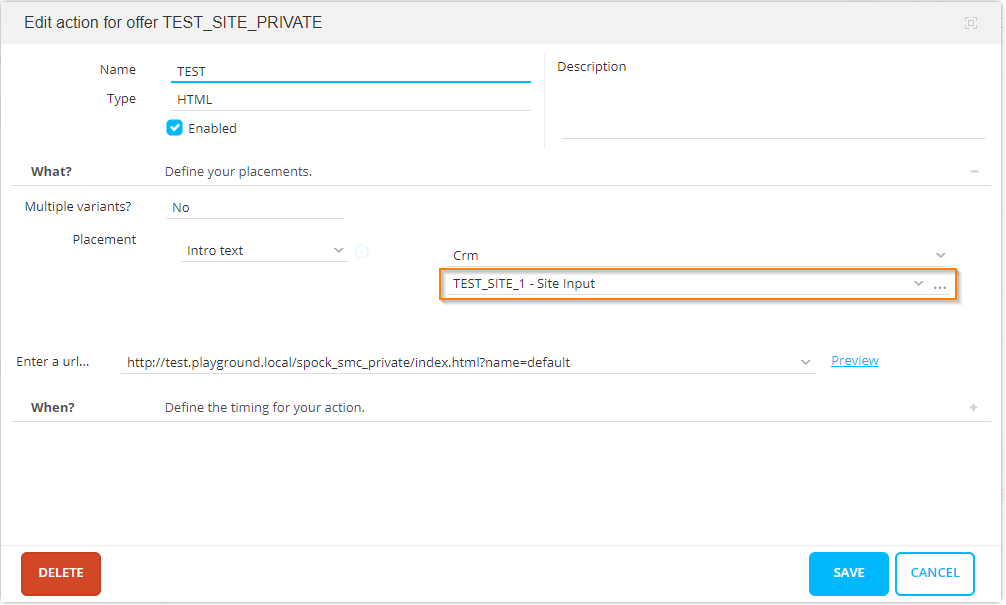
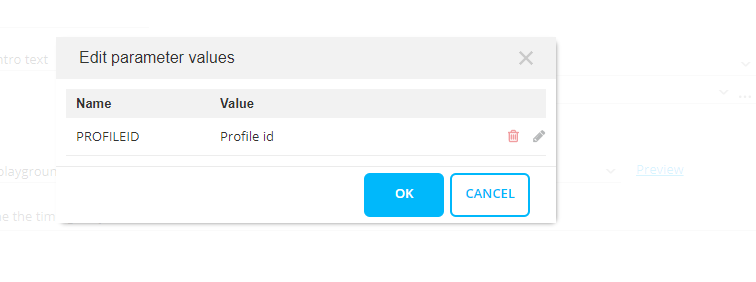
If extra custom parameters are set in the properties of the input component in the Selligent Custom Journey, the user is able to configure the parameter values by pressing the three dots next to the drop-down of the chosen targeting journey.
Once the offer is set to active, the content of the page used in the targeting journey is shown when going to the website.
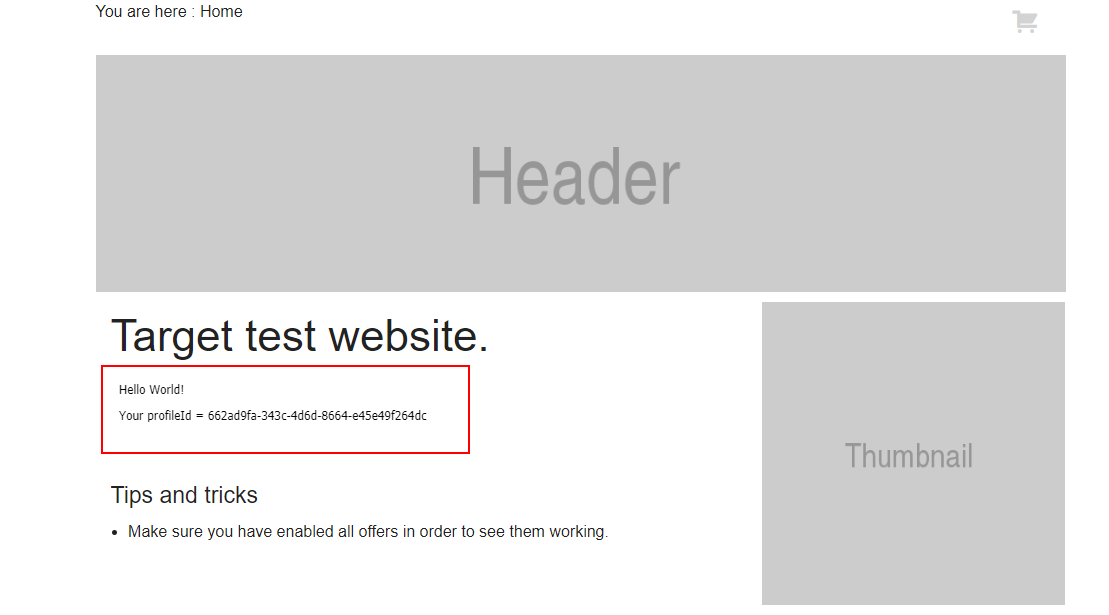
Example web page with profileId parameter value from Selligent targeting journey: