
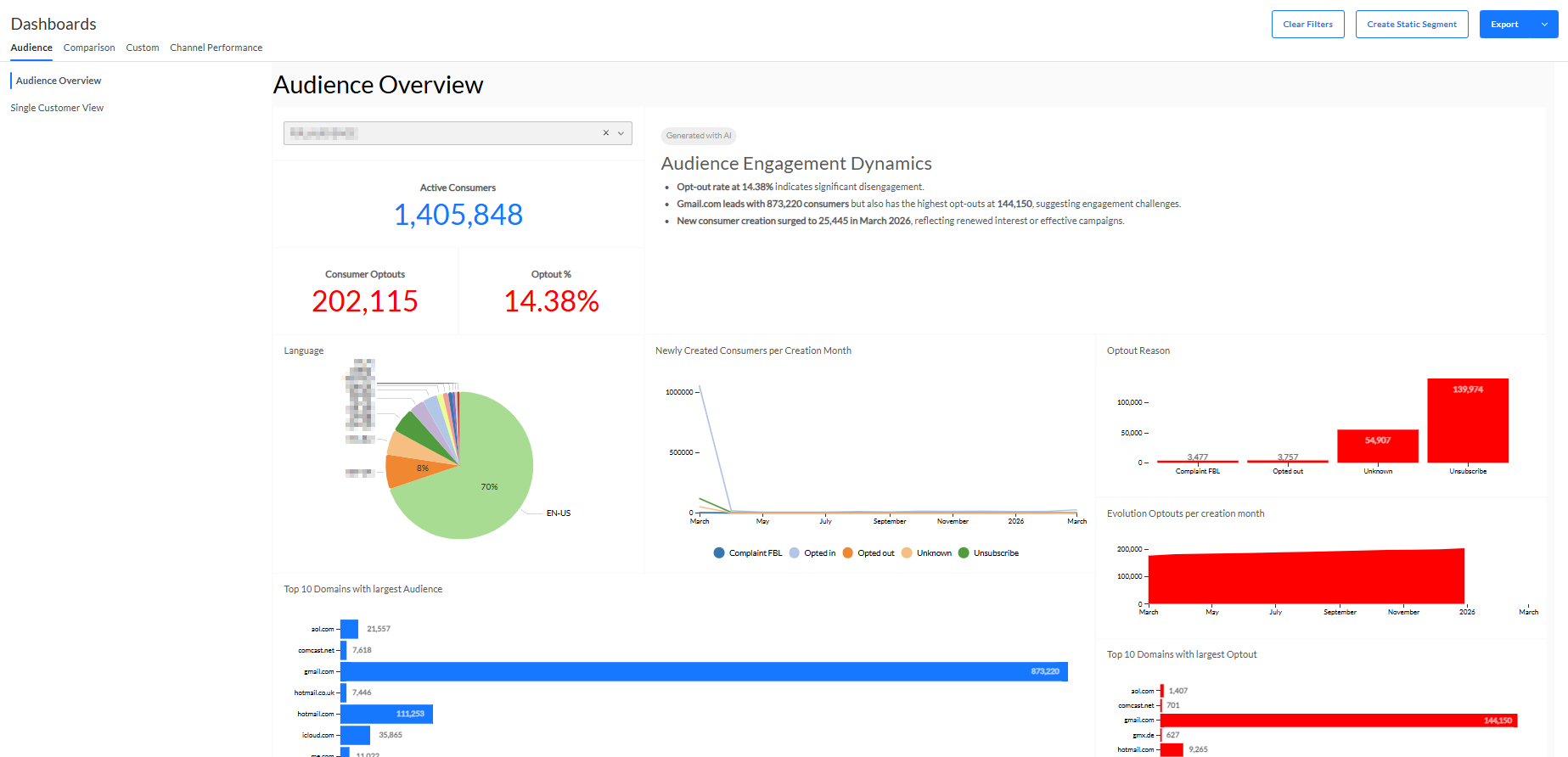
The Audience overview dashboard allows to compare info about active contacts and opted out contacts of a selected Audience List, such as languages, and optin and opt-out statistics.
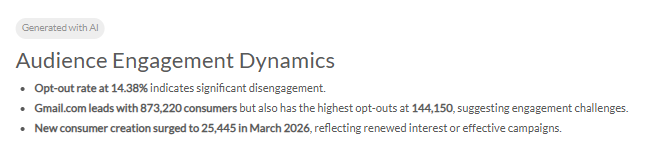
- An AI-generated summary of this dashboard is displayed at the top.
- Select Audience List — A single audience can be selected, to filter all widgets with info about contacts that belong to the selected audience.
- The list shows all available Audience Lists in the current active Business unit.
- You can also search for a specific audience by entering text in the search field to reduce the list of Audience Lists shown.
- When you make a selection, all widgets are updated.
- The list selected by default is the 'oldest' list within the Business unit (meaning the one with the smallest list ID).
Note: It's important that list names have a unique name, as you will not be able to make the distinction between lists having the same name.
- Consumers — The total number of contacts in the selected Audience List.
- Consumer Optouts — The number of contacts that opted out (for which the opt-out field in the Audience List contains a value different from 0 or null).
- Opt-out % — The percentage of contacts that opted out (for which the opt-out field in the Audience List contains a value different from 0 or null).
- Language — Pie chart to see the contacts per language (code). Hovering over a piece of the pie chart with the mouse cursor shows the number and percentage of contacts for that language. You can filter on one or more languages, by clicking on the respective parts.
- Newly Created Consumers per Creation Month — The number of new contacts in the selected Audience List per month.
- Top 10 Domains with largest Audience — Top 10 mail domains, with the total number of contacts for each domain, sorted in descending order. The domains correspond to the email address of the contacts.
- Opt-out Reason — Bar charts to reflect the number of contacts that opted out per opt-out reason (category) for the selected Audience List.
- Evolution Optouts per creation month — Cumulative view of the opted out contacts in the Audience List over time (per month).
- Top 10 Domains with largest Opt-out — Top 10 mail domains, with the number of opted out contacts for each domain, sorted in descending order. The domains correspond to the email address of the contacts.