What's New
Version May 13, 2026 - 26.5.0
Version June 10, 2026 - 26.6.0
EMEA - June 10, 2026
AMER - June 16, 2026
JAPAN - June 17, 2026
APAC - June 16, 2026
Enhancements to RCS
Available to all customers
Background
As we roll out RCS features, we have been enhancing RCS functionality and usability to improve user experience and operational stability.
Solution
The following RCS enhancements are now available:
-
Character limits for buttons and chips
- RCS messaging enforces character limits for interactive elements. To improve content validation and reduce publishing issues, character limits are now enforced within the platform.
- You can now see real-time character validation and counters for buttons and chips, including support for UTF-8 characters such as emojis and accented characters.
-
Advanced Event Trigger guidance for RCS
-
Users can now see a clear notification that Advanced Event Triggers are not supported with RCS, during selection and directs users to the supported alternative, Send API Event Trigger instead.
-
-
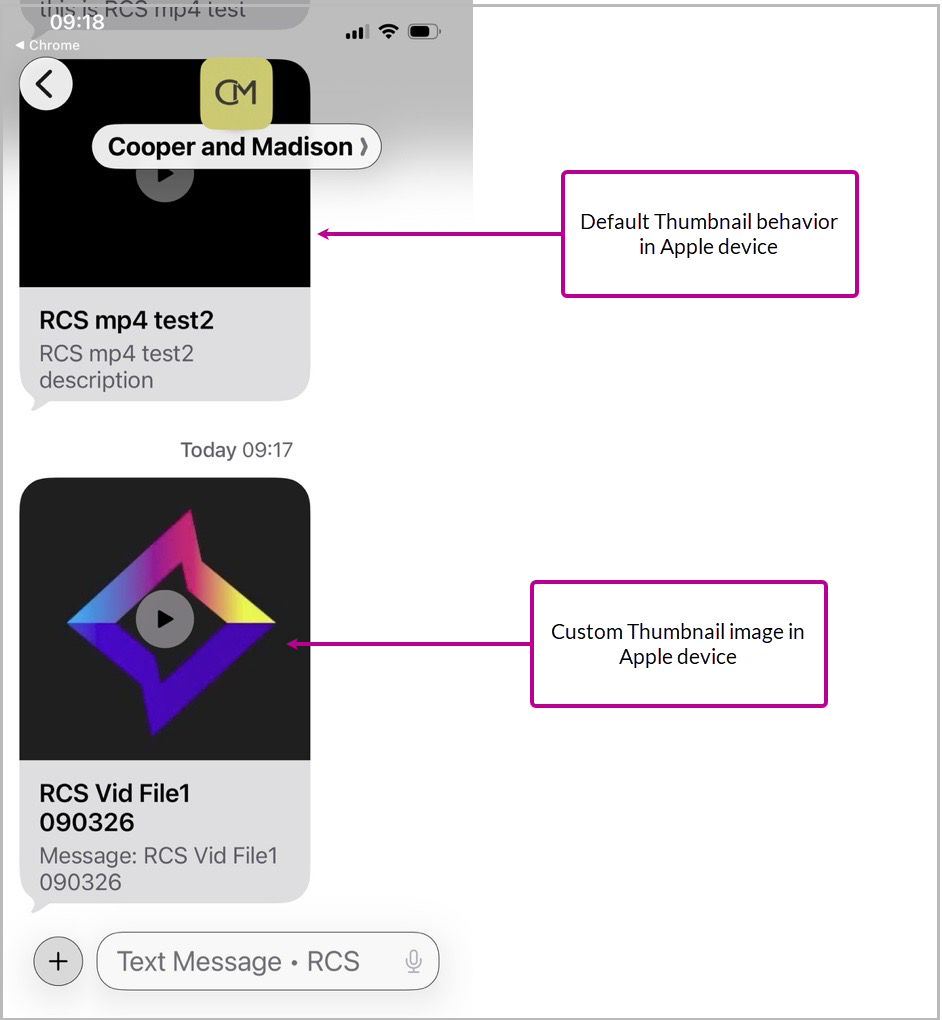
Temporary removal of MP4 video support
-
To improve reliability, MP4 video upload support has been temporarily removed until full functionality is supported.
-
What it looks like in Cheetah Digital by Zeta
-
Character limits for buttons and chips
- Buttons and chips have a maximum limit of 25 characters.
- A real-time character counter is displayed during content creation.
- Character validation applies to UTF-8 characters, including emojis and accented characters.
-
Note: Once the limit has been reached, input is restricted.
-
Advanced Event Trigger guidance for RCS
-
In event-triggered campaigns, when you select Event Trigger from the Setup tab, a note is displayed beneath the list of triggers.
-
-
Removal of MP4 video support
-
The option to upload MP4 files is no longer available in the RCS media picker.
-
For more information on RCS and the use cases, refer RCS User Guide.
Open Pixel Tracking Consent Management – Tools to comply to new French Privacy Laws
Automatically available for EMEA customers from June 22, 2026, and available on request for customers outside EMEA
Background
The CNIL (Commission nationale de l'informatique et des libertés) is France’s data protection authority and enforces privacy laws such as GDPR and ePrivacy. In April 2026, the CNIL published updated guidance that clarifies expectations around consent, transparency, and tracking in email communications sent to individuals in France. These updates will impact organizations that rely on email engagement tracking or related analytics when marketing to French recipients.
Email open tracking is commonly implemented using a tracking pixel embedded in email content. When a recipient opens an email, the tracking pixel loads and sends information back to the platform, enabling marketers to measure engagement and analyze campaign performance.
Recent guidance on April 2026, from the French data protection authority ((Commission nationale de l'informatique et des libertés (CNIL)) states that individual-level email open tracking requires consent unless the tracking is fully anonymous. Organizations that send email to audiences in regions where consent is required must ensure that open tracking is only performed when appropriate consent has been obtained.
Solution
To help customers manage these requirements, Cheetah Digital now provides a mechanism to store and apply email open tracking consent preferences at the sender profile level.
Cheetah Digital introduces Open Pixel Tracking Consent Management, a feature that enables marketers to control email open pixel tracking based on a recipient's consent status.
When the feature is enabled on a Promotional Sender Profile:
- A new field called Open Pixel Tracking Consent is added to the associated audience tables.
- Consent preferences can be collected and managed through existing data collection processes, including web forms, API integrations, imports, and preference centers.
- Consent values are automatically applied to all campaigns that use the Sender Profile.
What it looks like in Cheetah Digital by Zeta
A new option called Open Pixel Tracking Consent is available within Settings > Campaign Settings > Sender Profiles for Promotional Sender Profiles.
After activating the option:
- The Open Pixel Tracking Consent switch appears within the Sender Profile configuration.
- A new audience field called Open Pixel Tracking Consent is created.
- The consent field can be mapped through imports, APIs, web forms, and other audience management tools.
- Campaigns automatically honor the consent value stored for each recipient.
For recipients who withdrawal consent to be tracked, Cheetah Digital switches to anonymous tracking, which:
- Remove recipient-level identifiers from the tracking pixel.
- Prevents collection of individual open activities.
- Continues to provide aggregate campaign reporting.
Important notes
- This feature applies only to Promotional Sender Profiles.
- Transactional Sender Profiles are not supported.
- Click tracking is not affected by this feature.
- Customers remain responsible for ensuring compliance with applicable privacy and data protection regulations.
- Currently applies to France only, with expansion to other European markets expected.
Feature rollout timeline
June 22, 2026 – Consent collection support
The tools used to collect audience consent are updated to support the Open Pixel Tracking Consent field. This includes:
- Web Forms
- API Posts
- Data Imports
You can begin collecting and storing consent preferences using these tools before enforcement begins.
July 14, 2026 – Consent enforcement for email open tracking
Cheetah Digital begins applying the Open Pixel Tracking Consent value when determining email open tracking behavior in campaigns that use Promotional Sender Profiles with the feature enabled.
- Recipients with consent continue to receive standard open pixel tracking.
- Recipients who withdrew consent receive anonymous tracking only.
- Recipients with unknown consent - will receive anonymous tracking only
- Aggregate campaign reporting remains available for non-consented recipients.
This phased rollout allows you to update consent collection processes before consent-based tracking behavior is applied.
Refer to the FAQ section here for more information.
A user guide with step-by-step implementation instructions will be available soon in the Cheetah Digital Help Center.
LINE Messaging Now Supports Opens in Campaign Reporting
Available to all customers
Background
LINE messaging, popular with brands engaging audiences in Japan, needs more campaign reporting features to make informed decisions.
Solution
With Open reporting now available, brands can better understand how audiences interact with LINE messages and make more informed decisions about campaign performance and optimization. LINE messaging now supports Open metrics in campaign reporting, giving marketers greater visibility into message performance for this highly used channel in Japan.
What it looks like in Cheetah Digital by Zeta
-
LINE Open metrics are available in Legacy Campaign Reports
-
Access reporting from the Insights tab in the top navigation
Note: LINE reporting is currently supported only in Legacy Campaign Reports
Protecting Primary Account Number (PAN) Data by Encryption
Available to all customers
Background
The Payment Card Industry Data Security Standard (PCI DSS) defines technical and operational requirements that protect account data.
Solution
As part of a broader initiative to strengthen sensitive data protection, Cheetah Digital includes encrypted field functionality and a comprehensive encryption framework. This framework is designed to enforce consistent protection of sensitive data during ingestion, storage, processing, and outbound delivery.
PAN data can enter Cheetah Digital through multiple ingestion methods, including APIs and batch imports. Because this data is considered sensitive payment information, it must be protected throughout its lifecycle.
Cheetah Digital protects Primary Account Number (PAN) data by encrypting it when it enters the platform through supported ingestion channels and decrypting it only during the final outbound message merge process. This approach helps protect PAN data while it is stored and processed and supports PCI DSS compliance requirements.
What it looks like in Cheetah Digital by Zeta
-
The encrypted field is displayed in the Record lookup view, is read-only, and cannot be edited.
-
When importing files, such as through FTP or S3, encryption is applied during file import for fields configured as System Encrypted Data.
- Encryption is applied to supported columns in incoming data
- Data is stored as encrypted values with appended key references
- Plaintext sensitive data is not written to the databases or files.
Mobile Push: Device IDs in Proofing Group now Validated
Available to all customers
Background
It is important to be able to send proofs for push campaigns to valid devices so that you can review your campaign before sending to your audience. However, invalid, incorrect or inactive device IDs in proofing groups cause errors during proof sends and often required support intervention.
Solution
Now, validation has been added before launching proofs, which:
- Checks that all device IDs exist and are active
- Displays a clear error if invalid IDs are detected
What it looks like in Cheetah Digital by Zeta
When launching a proof, if all Device IDs in the Proofing Group are found, the Proof proceeds as normal.
If any Device IDs do not exist, incorrect or are inactive, an error will be shown at the top of the page, and you will need to remove or correct the Device IDs before proceeding.
Tags are now supported in Cells and Splits CSV uploads
Available to all customers
Background
For customers creating campaigns using Cells and Splits CSV uploads, creating tags previously required updating each messaging cell individually in the UI.
Solution
Tags can now be added directly via a CSV import by including a “tags” column within the UploadCells.csv file.
What it looks like in Cheetah Digital by Zeta
In the “tags” column within the UploadCells.csv file, enter the required tags, separated by the pipe character, e.g. Boots | Hiking | Sportswear.
Once you have added the tags in the CSV file and uploaded the file, the tags will be added to the associated cell, with no further action required.
Note: If needed, you can remove the tags as before, directly from Cheetah Digital.
Hidden Summary for AI now supported in Cells and Splits CSV uploads
Available to all customers
Background
The Hidden Summary for AI enables marketers to provide a pre-written summary that helps email clients AI accurately represent a campaign's key message, offer, and urgency. Previously, Hidden Summaries for AI could only be configured directly in the Cheetah Digital console or from the Campaign Creation API, and were not supported when creating Cells and Splits Campaign through CSV import.
Solution
You can now add a Hidden Summary for AI through CSV import by including a hidden_summary column in the UploadCells.csv file.
What it looks like in Cheetah Digital by Zeta
When an UploadCells.csv file containing a hidden_summary column is uploaded, the provided Hidden Inbox Summary is automatically added to the associated cell.
Note: The Hidden Inbox Summary is only used when a preheader is present. If the preheader is empty, the Hidden Inbox Summary is ignored and is not added to the campaign.
For guidance on writing on the Campaign summaries, refer here.
See Cheetah Digital Upcoming Release Schedule for the platform release.
See System Maintenance for details on the next system maintenance window.
The status page provides you with regular updates regarding the status of the Cheetah Digital by Zeta platform in the event of a major system incident in your region. In this article we’ll explain the information you will see and how to subscribe to the Cheetah Digital by Zeta notification system to receive regular updates on the platform status, which we highly recommend to all users.
See Platform status page for current Cheetah Digital platform status.
See Platform Status documentation for instructions on signing up for notifications.