RCS Single-Campaign Dashboard
Real time analytics provide marketers with the ability to measure and review what is currently happening with their RCS campaigns. Data is shown in real time and the single-campaign dashboards allow you to drill down into individual Campaigns
Our Real time analytics user guide outlines the general functionality that is available within these screens, such as applying filters, sharing, and exporting your data.
Reports
Each dashboard provides insights on engagement, delivery, location based stats and link activity, depending on the reports available.
The reports are divided into sections, which group related metrics, and charts, to allow you to visualize performance data.
The Single Campaign RCS dashboard includes the following three reports:
-
Engagement and delivery
-
Links and replies
-
Realtime

Engagement and delivery report
The Engagement and Delivery report provides marketers with insights on how well their campaign is doing and if it is creating engagement. Are your RCS reaching the intended audience, are customers opening your messages, and are they engaged with your content? Are they clicking through?
This report includes the following widgets:
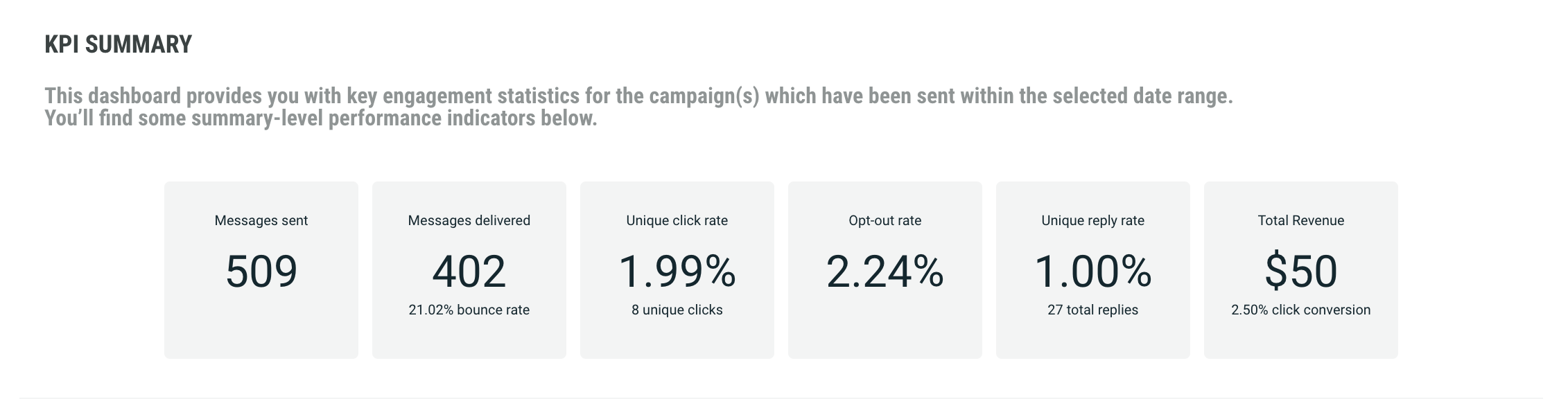
The KPI Summary dashboard provides key engagement statistics for the selected campaign:
-
Messages sent: number of RCS messages that were sent out
-
Messages delivered: how many of the messages sent, have actually been delivered without bouncing
-
Delivery rate: percentage of sent messages that were successfully delivered
-
Opt-out rate: percentage of the recipients opted-out in the Campaign
-
Unique open rate: percentage of the recipients who opened a message
-
Total revenue: count of all purchases based on interactions with the RCS message campaign
Note: This KPI is only available when the Conversions feature is enabled
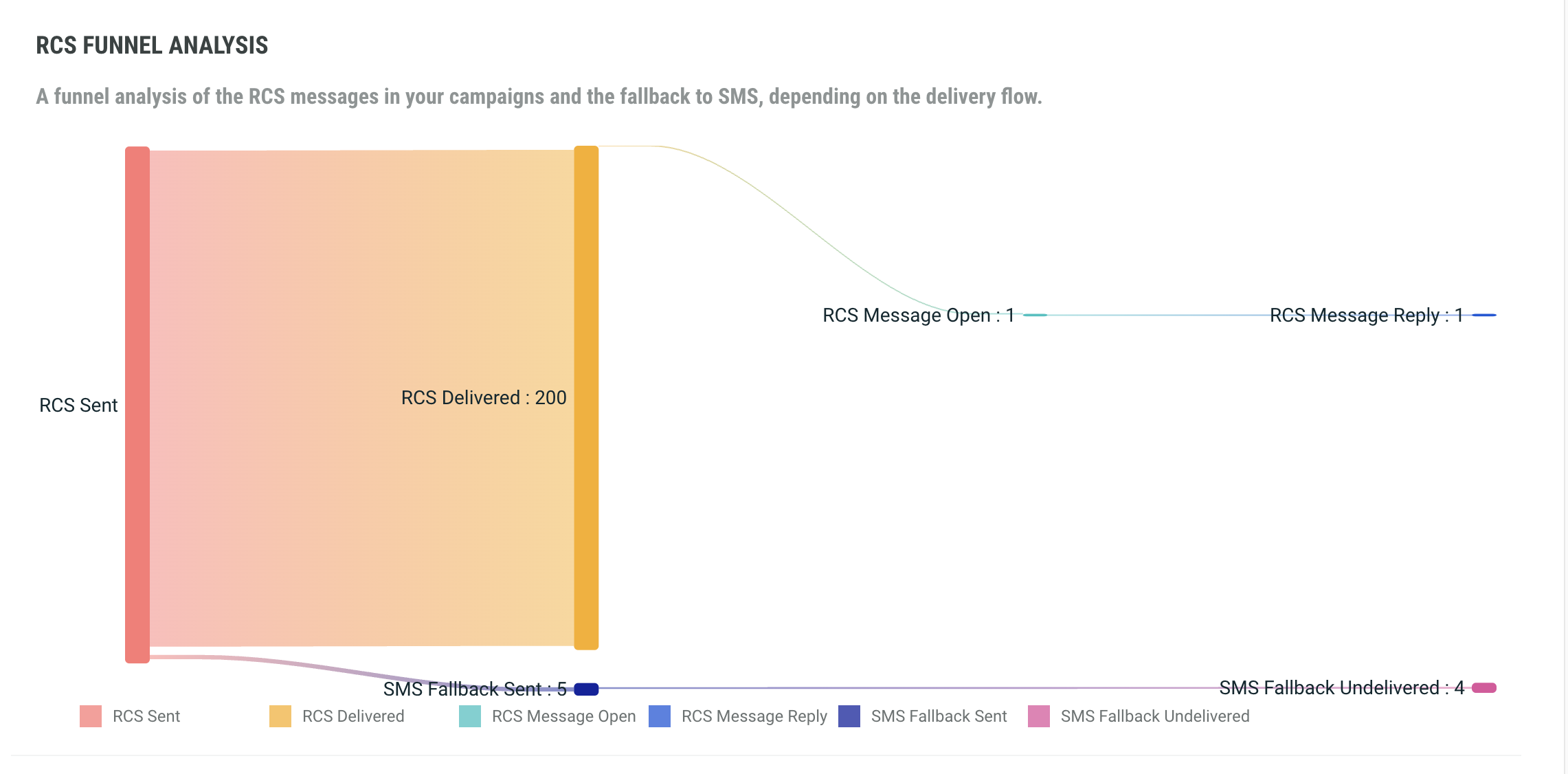
The RCS Delivery and Engagement allows you to compare delivery and engagement metrics for RCS campaigns, including messages sent through SMS fallback.
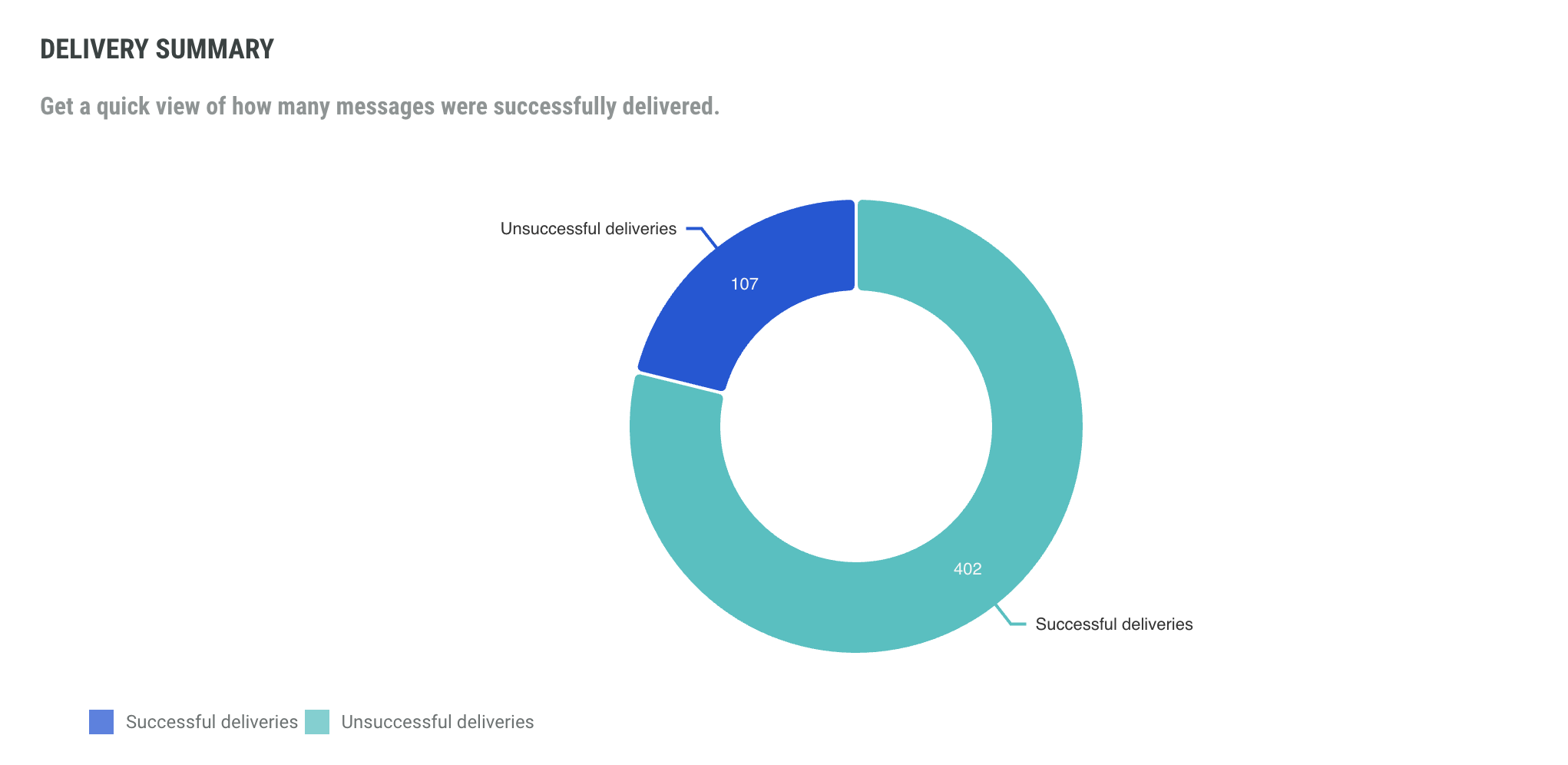
The Delivery Summary widget offers a quick view of how many messages were successfully delivered.
Links
The Links report focuses on human and non-human interaction. For marketers, it is important to know how much interest is generated through their Campaigns and which are generating the most interaction.
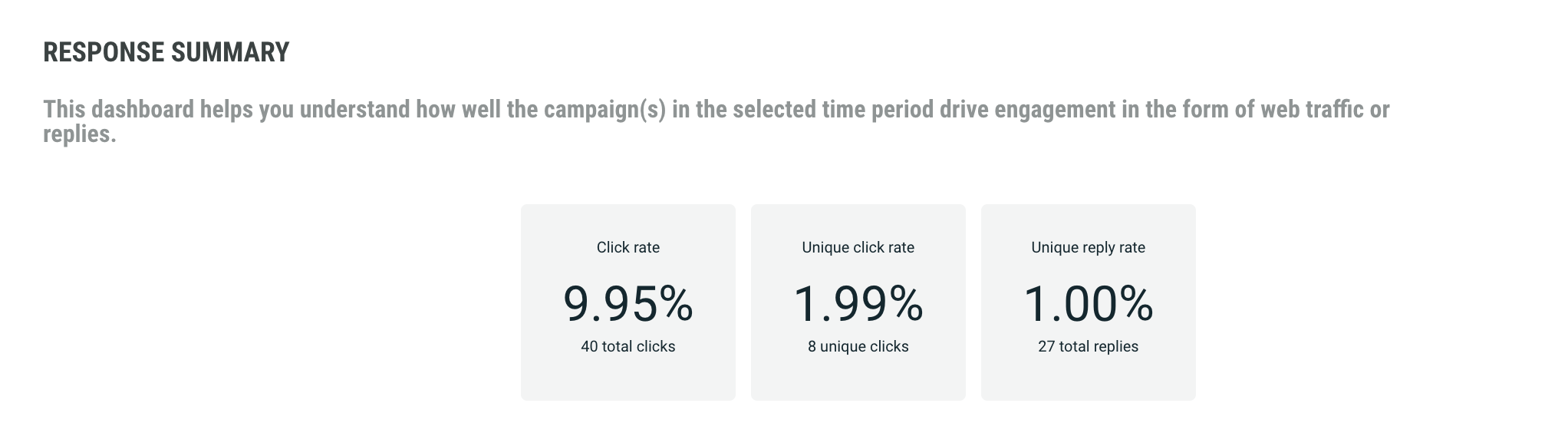
The Summary dashboard helps you understand how well the campaign(s) in the selected time period drive engagement in the form of web traffic or replies. This includes:
-
Click rate - the number of times a link has been clicked for a Campaign, shown as a percentage of delivered messages
-
Unique click rate - the number of contacts who have clicked on a link in a Campaign, shown as a percentage of delivered messages
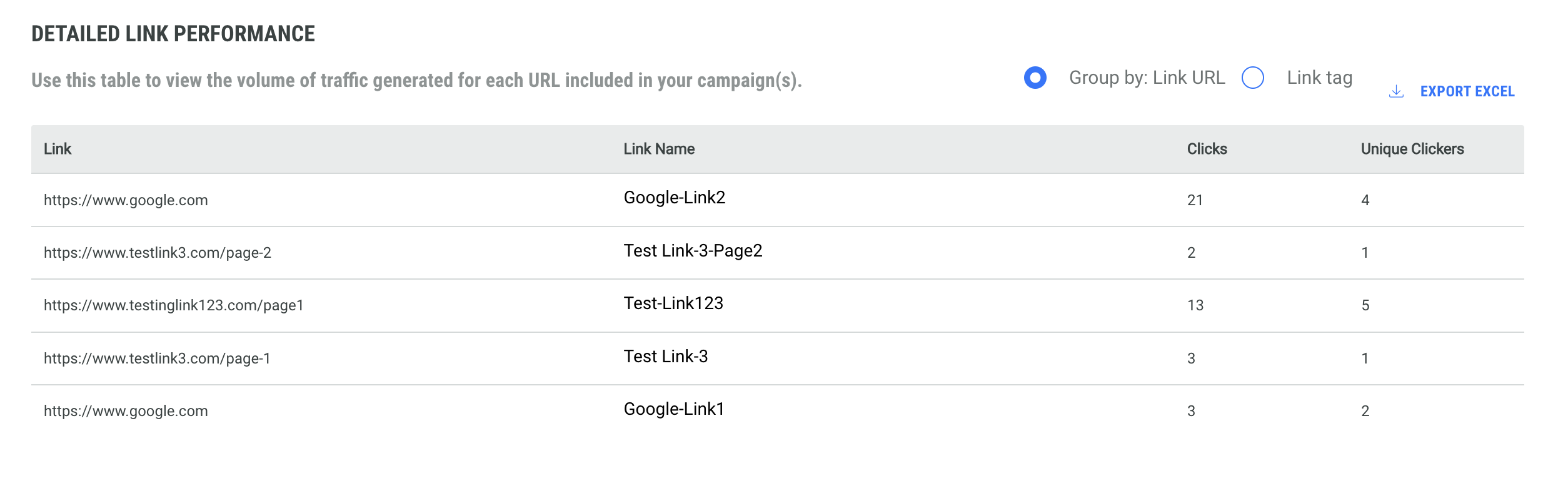
Use the Detailed Link Performance table to view the volume of traffic generated for each URL included in your campaigns.
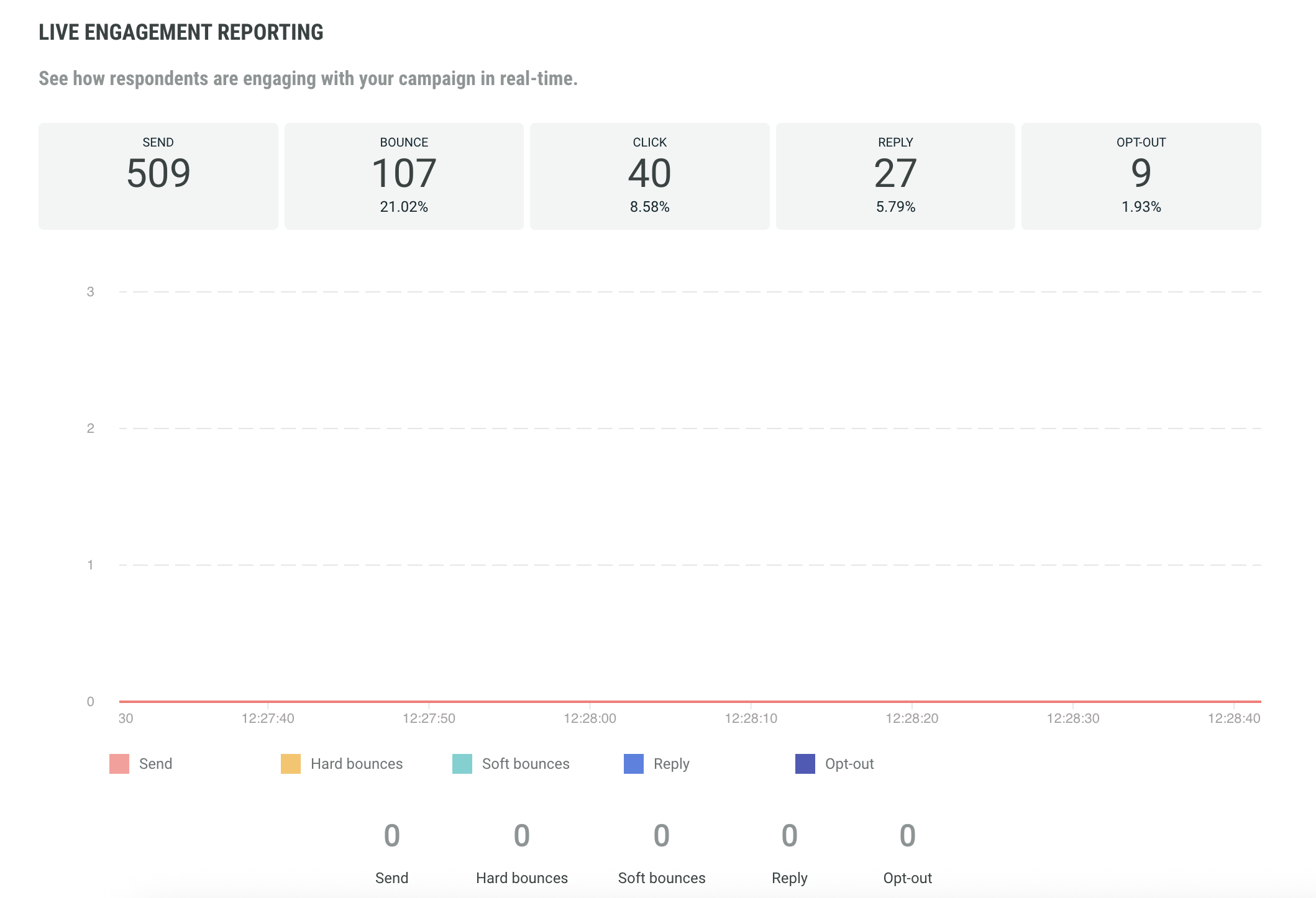
Realtime report
This report provides live engagement reporting RCS sent, bounced, clicked, replied and opted-out) and show how respondents are engaging with your campaign in real time. The graph shows live information within a time frame of less than a minute.