
Each Dashboard allows you to create a static segment of the filtered data of the selected Dashboard. This can be done by clicking on the button at the top-right.
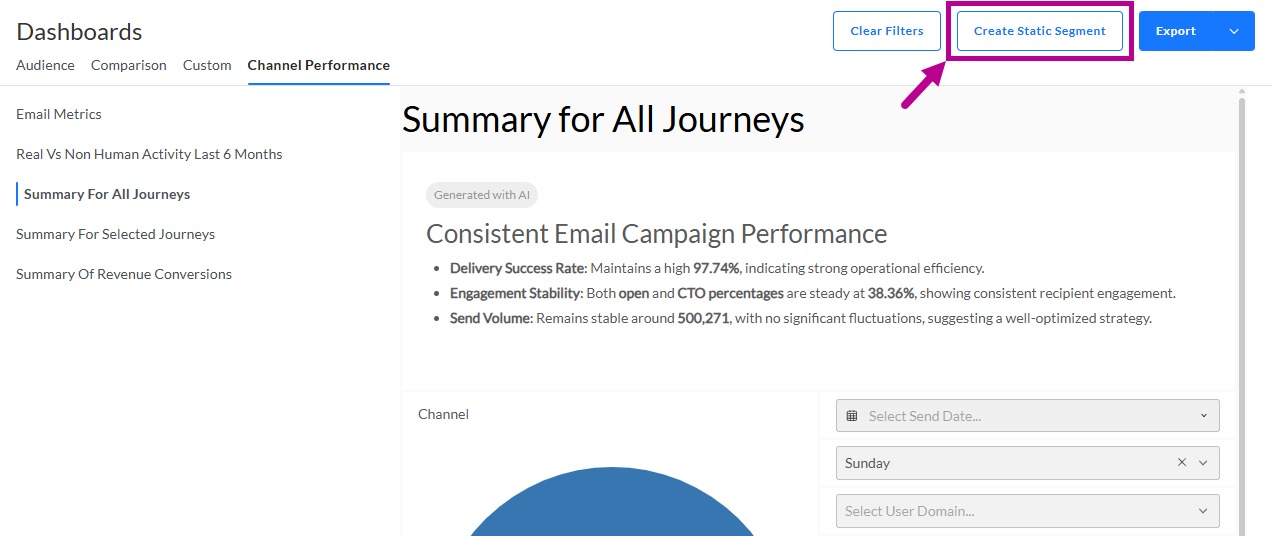
Note: At least one filter needs to be set to enable the button to create a static segment.
After clicking on the button, a setup screen is shown :
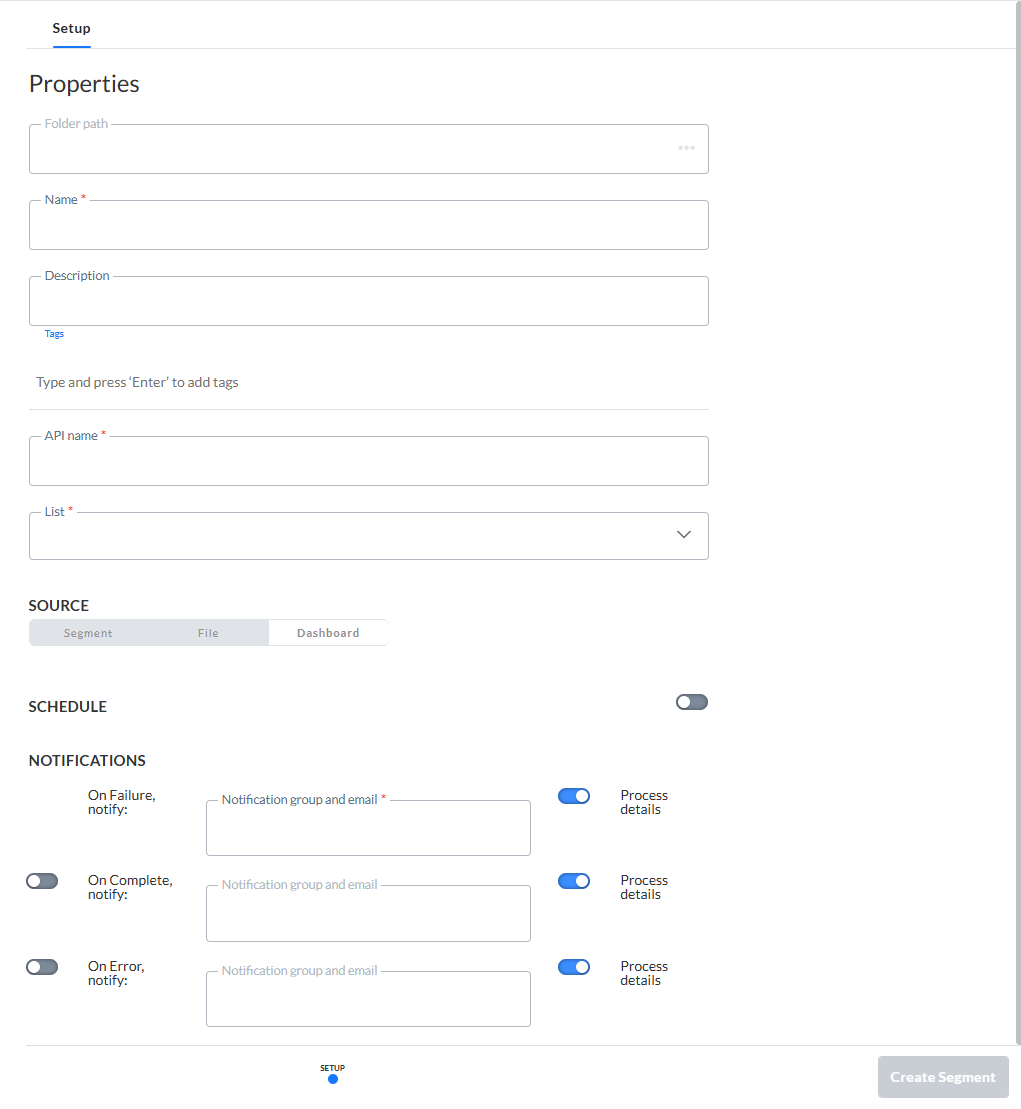
The following details can be set (the ones with an asterisk are required, the others are optional) :
- Folder path — The folder path where the segment will be stored. You can select a folder from the folder dialog accessible from the three dots.
- Name* — Provide an explicit name for the segment.
- Description — You can also provide a description for the segment.
- Tags — Tagging your segment helps to simplify searching it afterward.
- API name* — The name of the segment as it will be used by the API methods (Only alphanumeric characters and underscores are allowed). By default, the API name gets automatically copied from the name field.
- List* — You need to select a list from the drop-down that will contain the segment you're about to create.
Note: The available lists are only the Audience Lists that correspond to the data with the Dashboard filters that were set.
- Source — This is a read-only field to show that the source of the static segment is filtered Dashboard data (while in the Lists chapter of Selligent by Zeta, static segments can also be created from a file or another segment).
- Schedule — Scheduling of static segment updates is optional but when active you can update the static segment at regular time intervals (daily, weekly, monthly). Note that when setting up a schedule and saving it, a first update of the static segment is done immediately and consecutive updates will be done at the indicated time interval.
- Notifications* — When the creation or update of the static segment fails a notification email is sent. Other notifications on completion and error are optional.
After clicking on the Create Segment button, your newly created static segment is shown in the Segments Overview, with all other existing segments in the selected folder location for the selected Audience List.
It can then be used in the same way as other static segments.
Note: Static segments generated from Dashboard filters have additional properties in the Segments overview. The Scheduling entry provides details on the configured schedule while the History entry gives information on the past updates. More details can be found in this topic.