Deliverability: Suppression list criteria
Suppression Lists are essential to your campaign sending strategy to ensure you maintain healthy, engaged audience lists. Major ISPs, like Gmail and Microsoft, have already moved to a domain-based reputation, and that reputation is largely (but not solely) based on how many of your users are engaging with your messages.
Suppression criteria normally is as follows:
- Users who have been subscribed for X period
- Users who have not opened in X period
Each sender and list are unique, so each suppression will be custom to your program and list. The actual date range will be determined by working with Sailthru Support and the Deliverability team.
Audience Builder Criteria To set this up in Audience Builder, select the filters for the filter list:
- Email Clicks, Opens, Sends
- Subscription Date
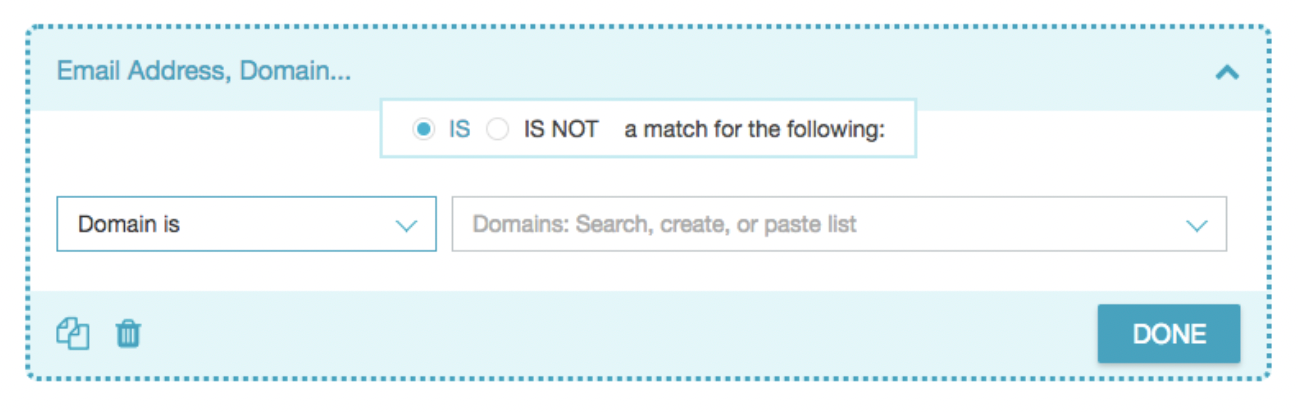
- Optional: Email address, Domain
The criteria setup should resemble the following screenshot:
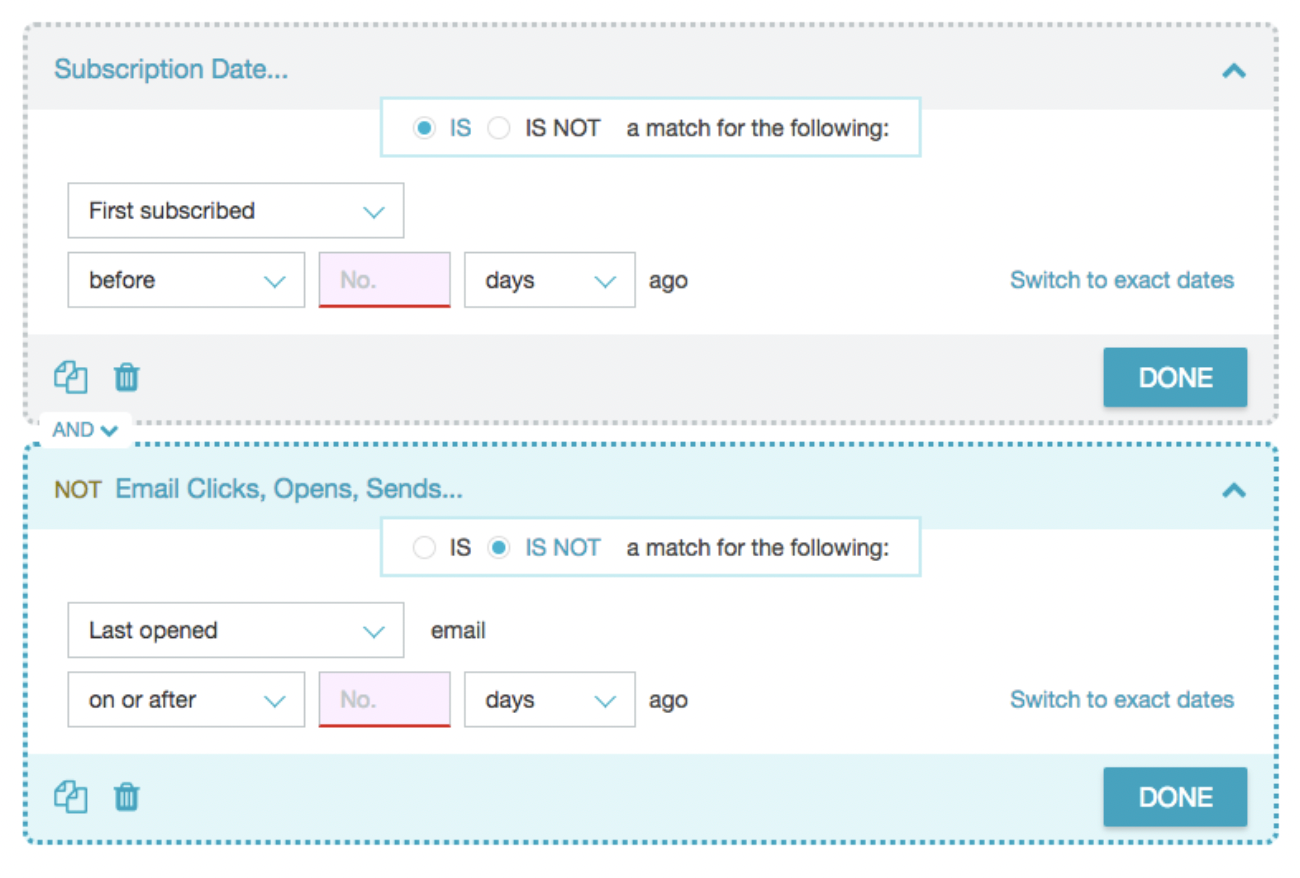
In the above screenshot, the criteria is set up to find users who are a specified number of days post sign up AND whose last open time is not within a specified number of days. Your Customer Success Manager will help provide the recommended of days to add to the No. portion of each criteria above. Typically it is First Subscribed before 30 days ago AND Is Not Last opened on or after 270 days. This give new sign ups 30 days of messages before being suppressed if they do not open. For users who do open, they will get 270 days to open from the last time of open before being suppressed.
If your account typically uses a custom profile var to track a user's signup date, select the filter "Date" under the category CUSTOM PROFILE FIELDS (VARS) instead of the "Subscription Date" filter.
If you are seeing a major ISP domain is falling below the baseline, but other domains are performing well, you can add an optional criteria to suppress users at the specific domain only.