An Award refers to a Reward that was granted to a Member for “free,” without the Member having to spend their Metrics to redeem it.
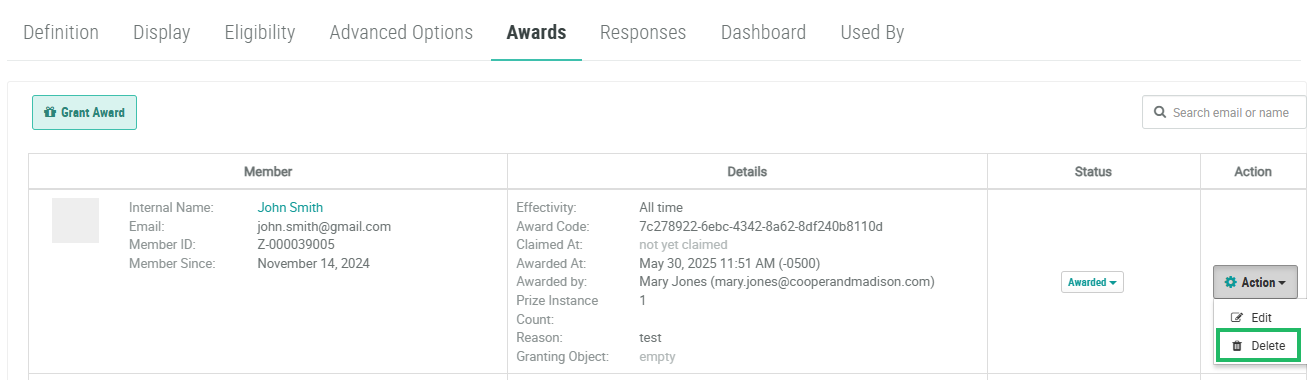
To delete an Award:
-
Select Rewards from the top navigation bar, then select Rewards > Rewards from the side navigation menu. The Rewards screen is displayed.
-
Search for and select the desired Reward (see
-
Select the Awards tab.
-
Optionally, in the Search field, enter all or part of the Member’s email address or name, then press Enter. The platform filters the Awards tab.
-
Next to the desired Award, from the Action drop-down menu, select Delete. A confirmation dialog box is displayed; click Confirm.