
Delete an Offer Export
To delete an Offer Export:
- Select Campaigns from the top navigation bar, then select Offers > Offers from the side navigation menu. The Offers screen is displayed.
-
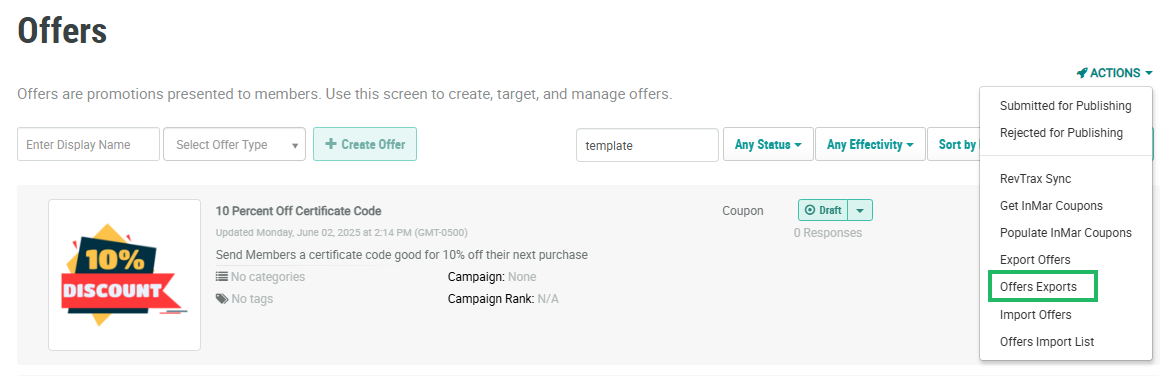
From the Actions drop-down menu, select Offers Exports. The Offers Export Definitions pop-up window is displayed and populated with a list of all existing Offer Exports.
-
From the Action column of the desired export, click the Delete icon. A confirmation dialog box is displayed; click Confirm.
