
Search for an SMS Keyword
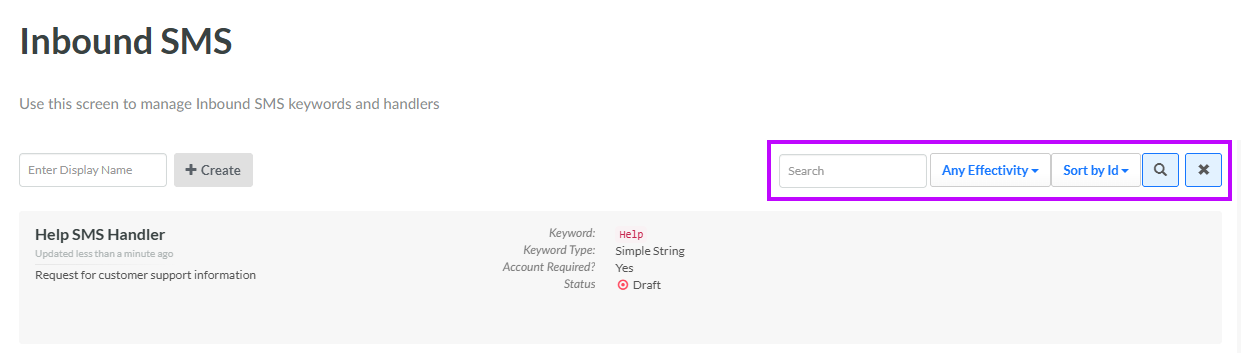
The search feature on the Inbound SMS screen allows you to search for a specified text string anywhere within an SMS Keyword's Display Name, Internal Name, or keyword.
To search for an SMS Keyword:
-
Select Campaigns from the top navigation bar, then select Campaigns > Inbound SMS from the side navigation menu. The Inbound SMS screen is displayed.
-
Optionally, in the Search field, enter the desired text string.
-
Optionally, from the Effectivity drop-down menu, select an effectivity range: Always effective, Effective in the future, or Effective now. The default is Any effectivity.
-
Click the Search icon. The screen is refreshed to show only the SMS Keywords that meet your search criteria. If you entered multiple search criteria, the SMS Keyword must meet ALL criteria.
-
To sort the search results, select the desired sort order from the Sort By drop-down menu. The default sort order is by: SMS Keyword ID.
-
Optionally, to remove all search criteria and revert to the default criteria, click the Clear icon.
Once you have found the desired SMS Keyword, click it to view the SMS Keyword Details screen (see View an SMS Keyword for more information).
