Define an Action for a Handler
Within an SMS Keyword, a Handler refers to a workflow comprising one or more actions that get executed when a Member texts a specified keyword to your Short Code. The platform supports several different actions that you can add to the Handler. A Handler can optionally include multiple actions.
This topic assumes that you have already created a Handler for an SMS Keyword. See Add a Handler to a Keyword for more information on that process.
To define an action for a Handler:
-
Select Campaigns from the top navigation bar, then select Campaigns > Inbound SMS from the side navigation menu. The Inbound SMS screen is displayed.
-
Search for and select the desired SMS Keyword (see Search for an SMS Keyword for more information on the available search options). The SMS Keyword Details screen is displayed, with the Definition tab selected by default.
-
Click the desired Handler to expand it. The platform displays the details of the Handler, including its effectivity period, conditions, and reply message.
-
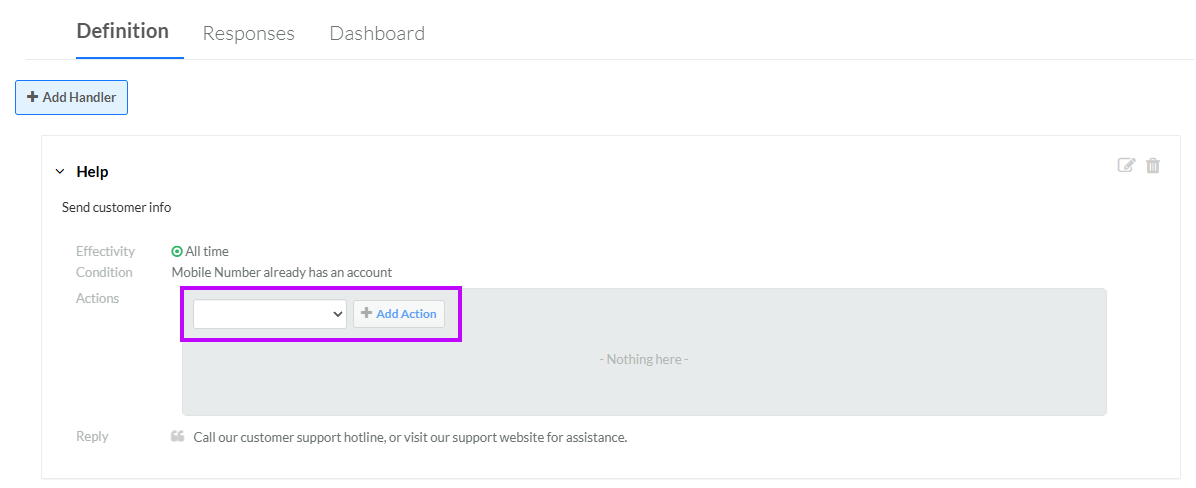
From the drop-down menu, select an action type.
-
Click Add Action. The Edit <Action Type> Action pop-up window is displayed. The configuration options available within this window will vary depending on the selected action type. See below for details on configuring the different action types.
 Create Visitor Account
If an unknown individual texts the keyword to your Short Code, the Create Visitor Account Handler action will create a new Member Profile, and tag it as a "Visitor." Note that this action is available only if the Member Only option for the Handler has been disabled. See Edit a Handler for more information on setting this option.
This Handler action does not have any configuration options.
Set Member Attribute
The Set Member Attribute Handler action can be used to populate a Member Attribute based on the Member's keyword. For example, you could set a Member's SMS Communication Preference to "false" if they text the keyword "STOP."
Note: The platform does not perform any data validations when populating a Member Attribute in this manner.
To configure this Handler action:
-
From the Member Attribute drop-down menu, select the desired Attribute.
-
Determine what value to populate in the selected Member Attribute:
-
Keyword as Value: Check this option to use the keyword itself as the value to populate in the Attribute. This option is useful for capturing data providing by the Member, such as an email address or ZIP code.
-
Value to Set: Enter the value to populate in the Attribute.
-
-
Optionally, check Strict to force the platform to stop the Handler if an error occurs, roll back any changes, and send the failure reply message (defined below).
-
If you checked Strict above, enter the content of the failure reply message in the Failure Message field.
-
Click Save.
Assign Place
Within the Loyalty platform, Places represent geographical locations that are of interest to your brand, such as stores, restaurants, or kiosks. The Assign Place Handler action can be used to assign a Place to a Member by populating the Place Integration ID Attribute on the Member Profile.
To configure this Handler action:
-
From the Place to Assign drop-down menu, select the desired Place. This drop-down menu is populated with Places that have Integration IDs defined.
-
Click Save.
Set Nearest Place
Within the Loyalty platform, Places represent geographical locations that are of interest to your brand, such as stores, restaurants, or kiosks. The Set Nearest Place Handler action can be used to assign a Place to a Member based on a ZIP code the Member provides in an inbound SMS message. The platform will determine the nearest Place and populate a selected Member Attribute with the Place Integration ID of that Place.
To configure this Handler action:
-
From the Member Attribute drop-down menu, select the desired Member Attribute where you want to store the Place Integration ID of the nearest Place. Note that the platform will overwrite any existing value in this Member Attribute.
-
Optionally, from the Default Place drop-down menu, select a default Place to use if the platform is unable to identify a Place near the Member's ZIP code. If you leave this option blank, the platform will not assign a default Place.
-
Optionally, check Strict to force the platform to stop the Handler if an error occurs, roll back any changes, and send the failure reply message (defined below). A "failure" for this Handler action means the platform was unable to identify a Place within fifty miles of the Member's ZIP code. In this scenario, if Strict is enabled, the platform will ignore the Default Place, even if one is selected.
-
If you checked Strict above, enter the content of the failure reply message in the Failure Message field.
-
Click Save.
Issue Offer Coupon
The Issue Offer Coupon Handler action is used to issue an Offer Certificate Code to the Member who sends the keyword to your Short Code. Note that the selected Offer must have Certificate Codes available.
To configure this Handler action:
-
From the Coupon Offer drop-down menu, select the desired Offer. This drop-down menu is populated with all Coupon-type Offers.
-
Optionally, check Do Not Reissue if Offer Code is Already Set. If this feature is checked, the platform will not reissue an Offer Certificate Code to a Member who has already received one for the selected Offer.
-
Optionally, enter a failure reply message in the Failure Message field. The platform will send this message to the Member if the platform is unable to issue an Offer Certificate Code.
-
Optionally, in the Claim URL field, enter the URL where the Member can claim the issued Offer.
-
Click Save.
Grant Digital Reward
The Grant Digital Reward Handler action is used to grant a Reward to the Member who sends the keyword to your Short Code.
To configure this Handler action:
-
From the Digital Reward drop-down menu, select the desired Reward. This drop-down menu is populated with all published Rewards that are not of type Physical Product.
-
Optionally, enter a failure reply message in the Failure Message field. The platform will send this message to the Member if the platform is unable to grant the selected Reward.
-
Click Save.
Create SMS Response
The Create SMS Response Handler action will create a database record of the inbound message and resulting response for activity tracking, reporting, and audit history. The platform will create this database record only if the reply comes from a known Member.
This Handler action does not have any configuration options.
-
Optionally, repeat the above steps as needed to define additional actions for this Handler.
-
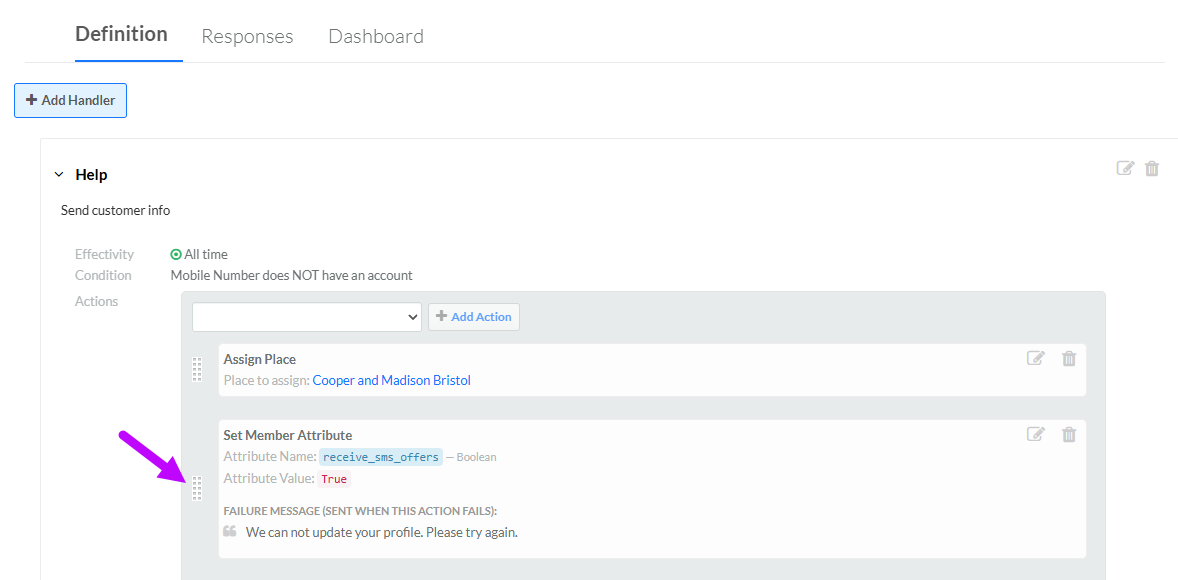
If you define multiple actions for a Handler, the platform will execute the actions in the sequence they appear on the screen, from the top down. Optionally, to rearrange the actions, click-and-hold on the "handle" area to the left of the action, then drag-and-drop it in its desired new sequence.