
Define SMS Keyword Effectivity Period
The Effectivity Period for an SMS Keyword controls when that SMS Keyword is considered "active" and in-use. The default setting is Always, but you can instead define a fixed time range, or a recurring time range.
To define the Effectivity Period for an SMS Keyword:
-
Select Campaigns from the top navigation bar, then select Campaigns > Inbound SMS from the side navigation menu. The Inbound SMS screen is displayed.
-
Search for and select the desired SMS Keyword (see Search for an SMS Keyword for more information on the available search options). The SMS Keyword Details screen is displayed, with the Definition tab selected by default.
-
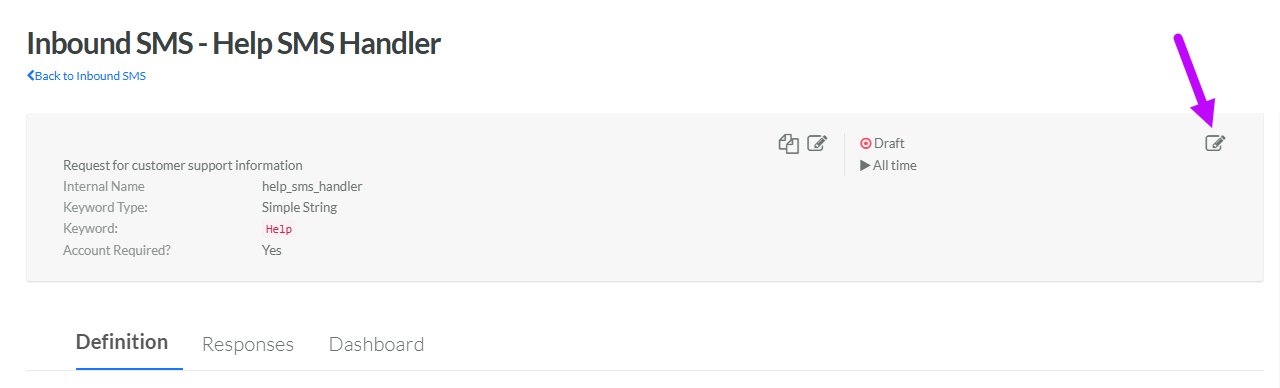
Within the header area of the screen, click the Edit icon in the top-right corner. The Edit Inbound SMS pop-up window is displayed.
-
Next to Effectivity, select either:
-
Always: This SMS Keyword doesn't expire.
-
Scheduled: Enter a start date and end date, and select a time zone. Optionally, check Recurring to use a recurring schedule. Select the desired schedule from the Recurring Schedule drop-down menu, or define a new recurring schedule (see below for details on that process).
-
Recurring Schedule
To define a new recurring schedule:
-
From the Recurring Schedule drop down menu, select Enter Schedule. The Repeat pop-up window is displayed.
-
From the Count drop-down menu, select a recurrence frequency of either Weekly or Monthly.
-
In the text field, enter the interval. Enter 1 if you want the schedule to run every week, or every month.
-
For a Weekly frequency, select one or more days of the week. For example, Tuesdays and Thursdays.
-
For a Monthly frequency, choose one of the following options:
-
Day of month: Select one or more days of the month. For example, the 15th and the 30th.
-
Day of week: Select one or more days of the week, for each of the four weeks within a month. For example, the second Wednesday of the month.
-
-
Click Confirm. The system adds the new schedule to the Recurring Schedule drop-down menu.
