Reissue a Reward Certificate Code
A Reward Certificate Code is a one-time use code that is associated with a Certificate-type Reward. If a Member redeems the Reward by spending the required Metrics, the platform assigns them one of the Reward's unused certificate codes. The platform creates a Redemption (also known as a Reward Response), which references the certificate code that the Member received. The Member can then use this certificate code, such as to claim a digital download, or to gain some other discount or benefit.
For Certificate-type Rewards, the platform lets you reissue a new Reward Certificate Code to the Member who redeemed the Reward.
To reissue a new Reward Certificate Code to a Member from the Member Details screen:
-
Select Members from the top navigation bar, then select Members > Members from the side navigation menu. The Members screen is displayed.
-
On the Members screen, search for and select the desired Member (see Search for a Member for more information). The Member Details screen is displayed with the Metrics tab selected by default.
-
Select the Redemptions tab.
-
Optionally, search for the desired Redemption. See Member Details Tab Overview - Redemptions for more details on the available search options.
-
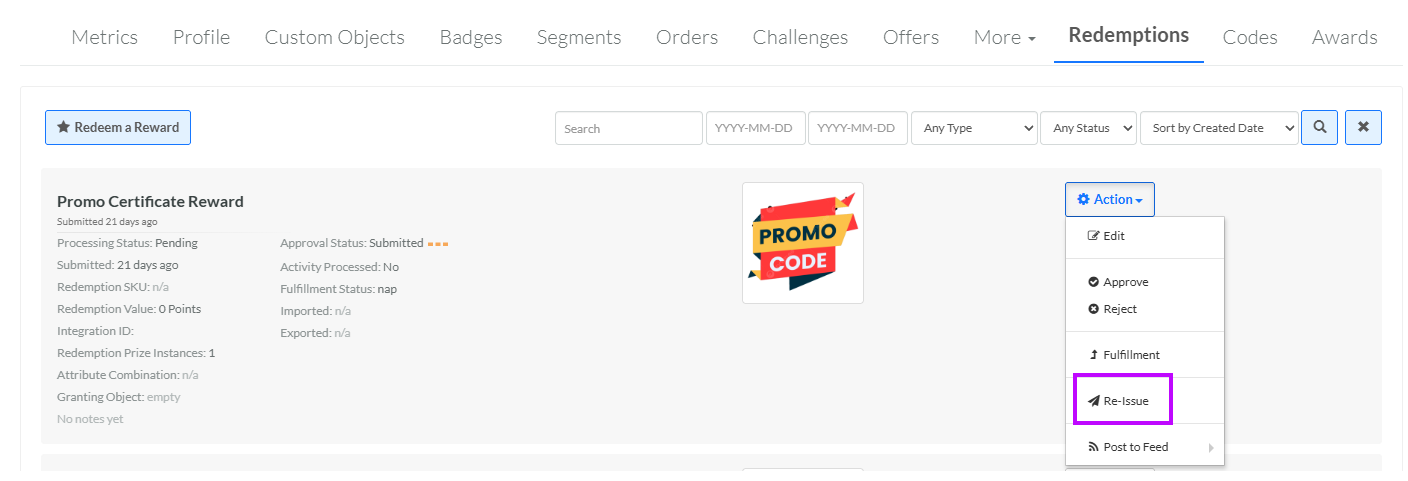
Next to the desired Redemption, from the Action drop-down menu, select Re-issue. A confirmation dialog box is displayed; click Confirm.