Notify Member of a Redemption
For Rewards of certain types, the platform allows you to email a Message to the Member who redeemed the Reward. This feature is available only for Rewards of type Badge, Contest, and Dynamic, and only if the Redemption has a processing status of Completed.
To send a Redemption Message, you must first configure the Reward Advanced Options by selecting the desired Message. See Configure Reward Advanced Options for more information.
Note: This feature is intended only for clients using Loyalty's legacy email platform.
To email a Redemption notification to a Member from the Member Details screen:
-
Select Members from the top navigation bar, then select Members > Members from the side navigation menu. The Members screen is displayed.
-
On the Members screen, search for and select the desired Member (see Search for a Member for more information). The Member Details screen is displayed with the Metrics tab selected by default.
-
Select the Redemptions tab.
-
Optionally, search for the desired Redemption. See Member Details Tab Overview - Redemptions for more details on the available search options.
-
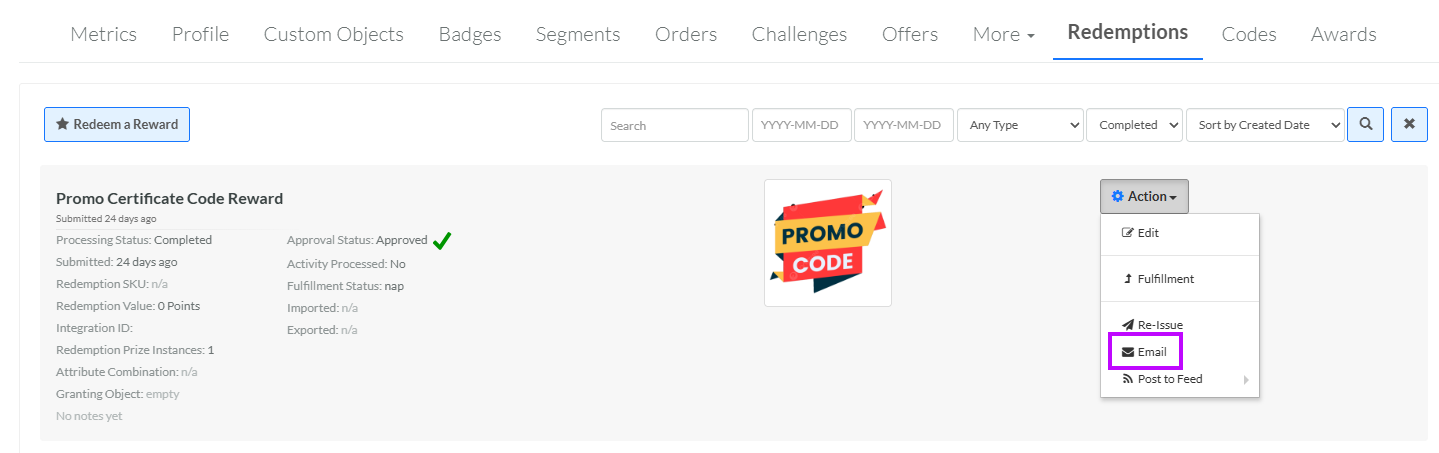
Next to the desired Redemption, from the Action drop-down menu, select Email. A confirmation dialog box is displayed; click Confirm.