Delete an Award
An Award refers to a Reward that was granted to a Member for “free,” without the Member having to spend their Metrics to redeem it.
From the Awards tab of the Member Details screen, you can delete an Award.
To delete an Award from the Member Details screen:
-
Select Members from the top navigation bar, then select Members > Members from the side navigation menu. The Members screen is displayed.
-
On the Members screen, search for and select the desired Member (see Search for a Member for more information). The Member Details screen is displayed with the Metrics tab selected by default.
-
Select the Awards tab.
-
Optionally, search for the desired Award. See Member Details Tab Overview - Awards for more information on the available search options.
-
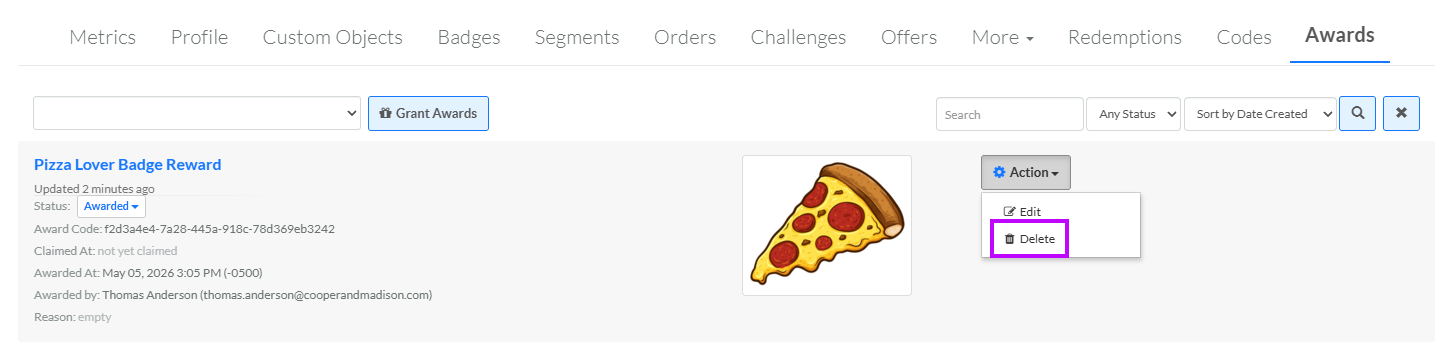
Next to the desired Award, from the Action drop-down menu, select Delete. A confirmation dialog box is displayed; click Confirm.