
Delete a Member Profile
You may need to delete a Member Profile if, for example, a Member calls and requests that their data be deleted in accordance with data compliance requirements.
When a Member Profile is deleted, all of their Member Attributes and Activity records are deleted. Once this data is deleted, it is unrecoverable. If this Member later decides they want to re-enroll in your loyalty program, they will need to create a brand new Profile; none of their old data from their old Profile can be used.
Note: For more information on deleting Member Profiles, including alternate methods of deleting Members, see GDPR / CCPA Member Profile Deletion.
As an alternative to the permanent delete function, the Deactivate feature lets you make a Profile inactive, but still retain the Member's data. Deactivated Profiles can also later be reactivated. see Deactivate or Reactivate a Member Profile for more information.
To delete a Member Profile:
-
Select Members from the top navigation bar, then select Members > Members from the side navigation menu. The Members screen is displayed.
-
On the Members screen, search for and select the desired Member (see Search for a Member for more information). The Member Details screen is displayed with the Metrics tab selected by default.
-
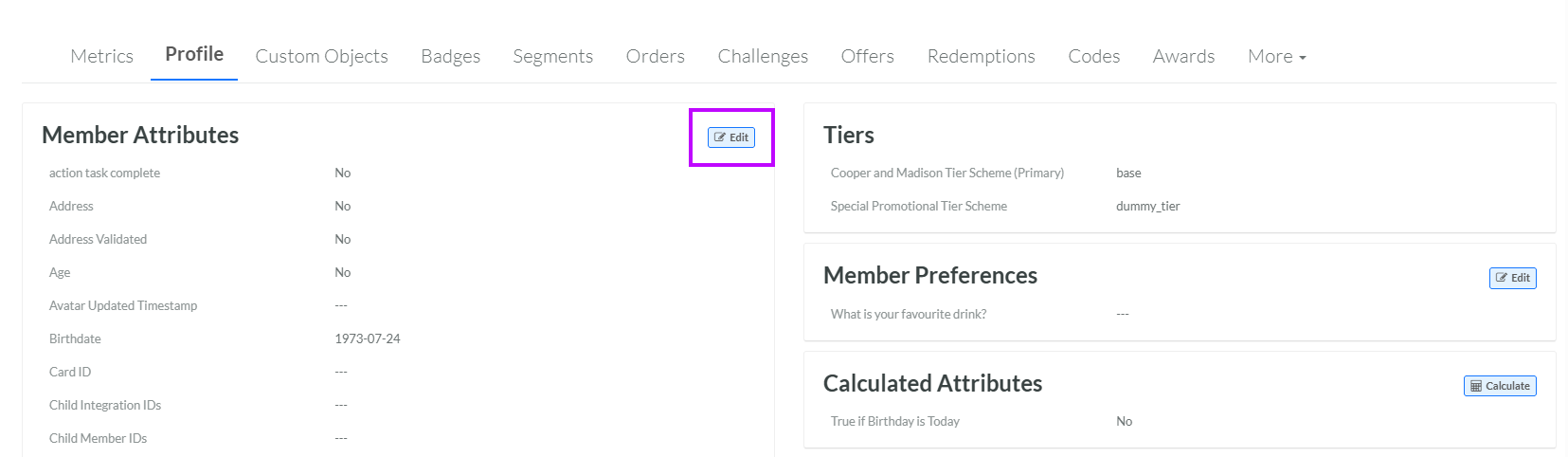
Select the Profile tab.
-
Within the Member Attributes section, click Edit. The Edit Profile pop-up window is displayed.
-
Click Delete. A confirmation dialog box is displayed; click Confirm.
