
Create a Member Export Definition
The Loyalty platform allows you to export Members using the Advanced Exports feature. The process of exporting Members utilizes a reusable asset called an Export Definition which controls the content, destination, and schedule of the export file.
To export Members from the Members screen:
-
Select Members from the top navigation bar, then select Members > Members from the side navigation menu. The Members screen is displayed.
-
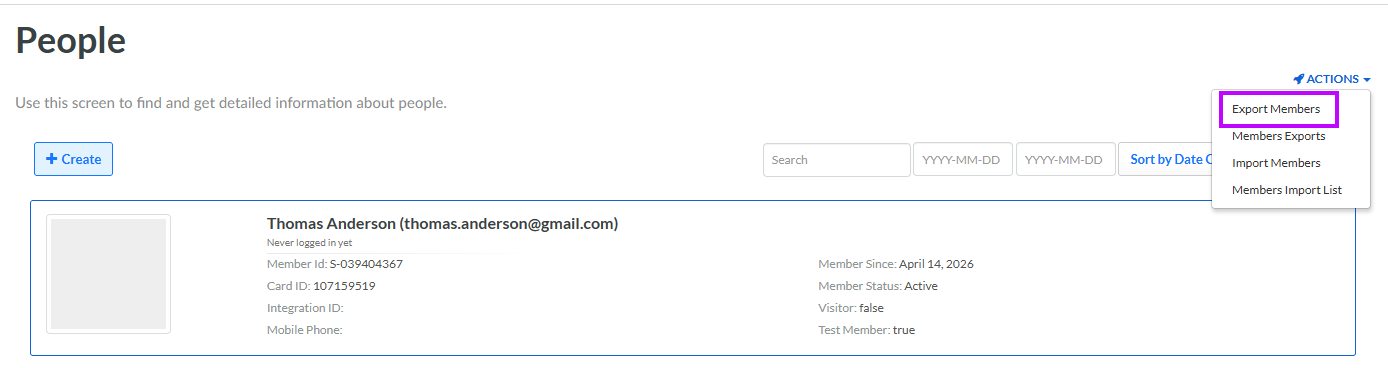
From the Actions drop-down menu, select Export Members. The Create New Export pop-up window is displayed.
-
In the Display Name field, enter a name for the new Member Export Definition.
-
From the Connector drop-down menu, select the desired Connector type. Note that the Connector type can't be changed once you create and save the Export Definition.
-
Click Save. The Export Definition Details screen is displayed, where you can configure the Export Definition properties. See Configure a Member Export Definition for details on how to configure the new Export Definition.
