
Post a Challenge Response to the Gallery
Loyalty's Gallery feature serves as a repository of media and images contributed by both marketers and Members. Depending on the Challenge type, you can manually save a Member's Challenge Response to the Gallery. This feature is available for the following Challenge types: Caption Photo, Multi-Question Survey, Submit Photo, Submit Video, and Update Avatar.
To post a Challenge Response to the Gallery from the Member Profile screen:
-
Select Members from the top navigation bar, then select CSR > People from the side navigation menu. The People screen is displayed.
-
On the People screen, search for and select the desired Member (see
-
Select the Challenges tab.
-
Next to the desired Challenge Response, from the Action drop-down menu, select Post to Gallery.
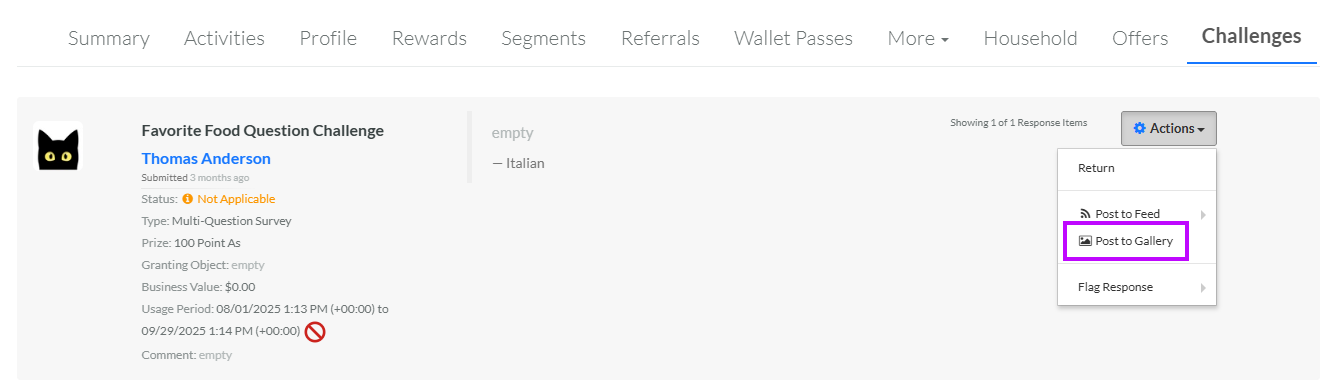
If a Challenge Response has previously been posted to the Gallery, and you want to remove it, navigate to the desired Challenge Response as described above, then select Unpost from Gallery from the Action drop-down menu.
