
Validate Current Metadata
You can deploy metadata immediately, but the best practice recommendation is to validate the metadata before deployment to ensure no incorrect expression code gets deployed to the server that could cause issues.
To validate the current metadata:
-
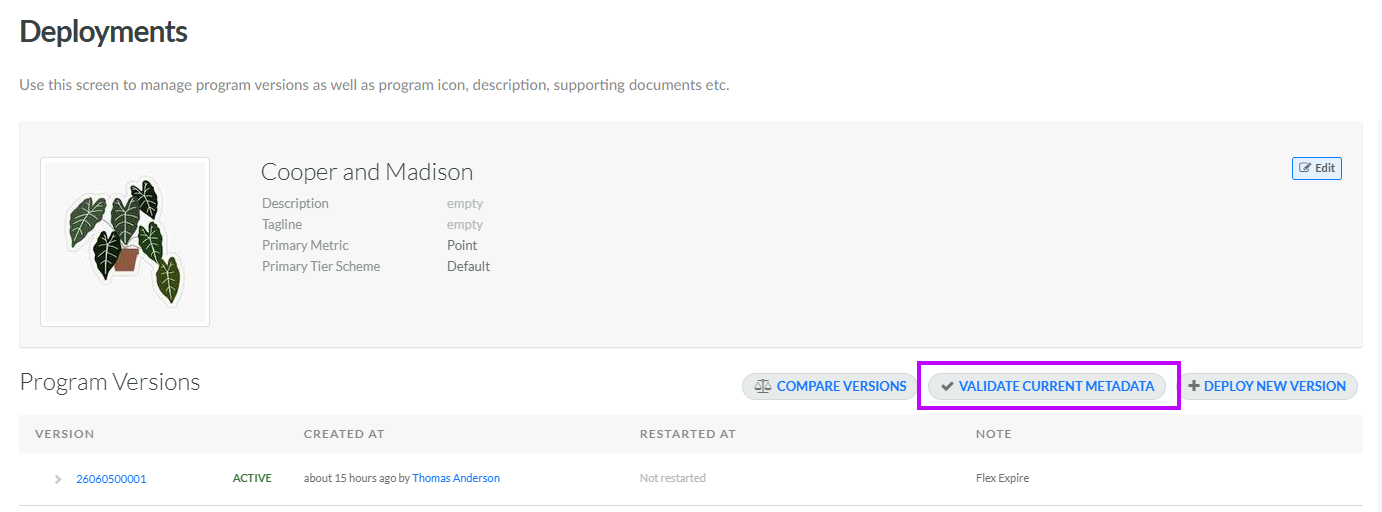
Select Program from the top navigation bar, then select Deployments from the side navigation menu. The Deployments screen is displayed.
-
Click Validate Current Metadata. The platform runs the validation process.
-
The Validation Result pop-up window is displayed. If the validation step passes, a message is displayed reading: "Metadata is valid." If the validation step fails, an error message is displayed; review and correct any issues, then retry the validation step.
From within the Validation Result pop-up window, you can deploy metadata. See Deploy Program Metadata for more information.
