
Edit an Attribute in a Custom Object
The Attributes section of the Definition tab is used to create, view, and manage the Attributes for this Custom Object.
To edit the properties of an existing Attribute in a Custom Object:
-
Select Program from the top navigation bar, then select Custom Objects from the side navigation menu. The Custom Objects screen is displayed.
-
Search for and select the desired Custom Object (see Search for a Custom Object for more information on the available search options). The Custom Object Details screen is displayed, with the Definition tab selected.
-
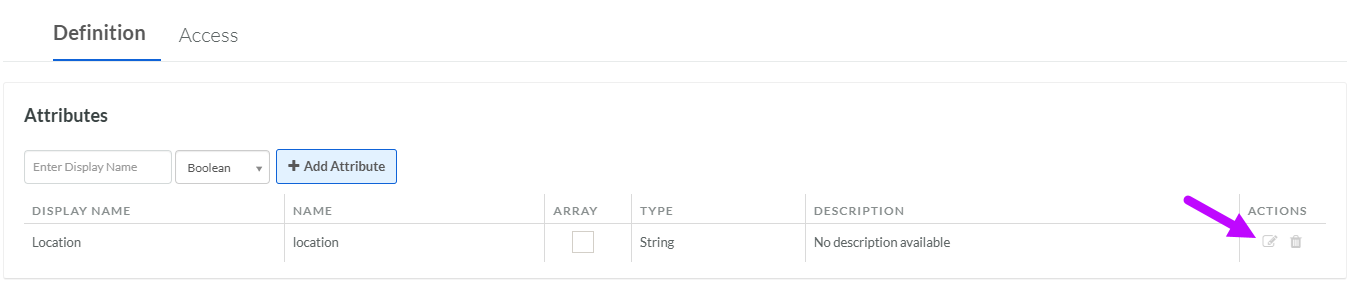
Within the Attributes section, click the Edit icon next to the desired Attribute. The Edit Attribute pop-up window is displayed. Note that you can toggle the Array feature on and off directly from the Definition tab, without having to open the Edit Attribute pop-up window.
-
Optionally, make the desired changes to the Attribute properties. For information on the available properties, see Add an Attribute to a Custom Object.
-
Click Save.
