
Create a Sub Object
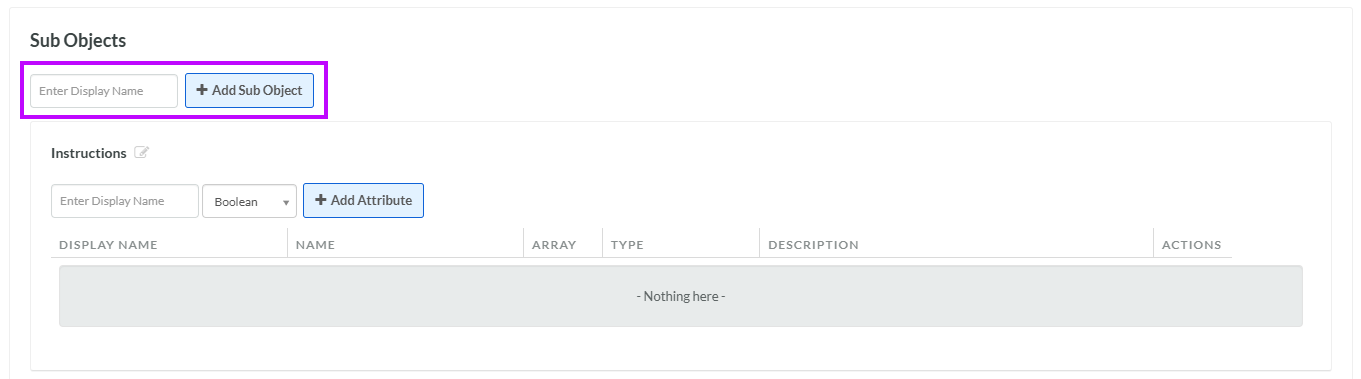
The Sub Objects section is used to create, view, and manage the Sub Objects in your Custom Object.
To create a Sub Object:
-
Select Program from the top navigation bar, then select Custom Objects from the side navigation menu. The Custom Objects screen is displayed.
-
Search for and select the desired Custom Object (see Search for a Custom Object for more information on the available search options). The Custom Object Details screen is displayed, with the Definition tab selected.
-
In the Display Name field, enter the name of the Sub Object.
-
Click Add Sub Object. The Edit Sub Object pop-up window is displayed.
-
The Display Name field is populated with the value you entered above; optionally edit this value.
-
The Internal Name is automatically populated based on the Display Name value. This field is not editable by default. To edit the Internal Name, check Edit Internal Name. A confirmation dialog box is displayed; click Ok. Edit the Internal Name value.
-
Optionally, in the Description field, enter a description of this item.
-
Click Save.
-
After you create the Sub Object, you must add it as an Array-type Attribute within the parent Custom Object. Within the Attributes section, in the Display Name field, enter the name of the Sub Object.
-
From the Data Type drop-down menu, select the Sub Object (the Sub Object gets added to this drop-down menu after you save it).
-
Click Add Attribute. The Edit Attribute pop-up window is displayed.
-
The Display Name field is populated with the value you entered above; optionally edit this value.
-
The Internal Name is automatically populated based on the Display Name value. This field is not editable by default. To edit the Internal Name, check Edit Internal Name. A confirmation dialog box is displayed; click Ok. Edit the Internal Name value.
-
Optionally, in the Description field, enter a description of this item.
-
Check Array.
-
Click Save.
For more information on how to define the Attributes within the Sub Object, see Add an Attribute to a Sub Object.
